Android App Permissions Explained: What Each One Really Grants
What every Android permission actually allows, which ones apps abuse, and how to audit and revoke access without breaking the apps you rely on.
3 guides
Lock down permissions, tracking, ads and lock-screen leaks on any Android phone.
Android gives you real control over what apps can see, but the controls are spread across several screens and most of them default to permissive. An app you granted location access to three years ago still has it, and the advertising identifier that ties your activity together across unrelated apps is switched on unless you turn it off.
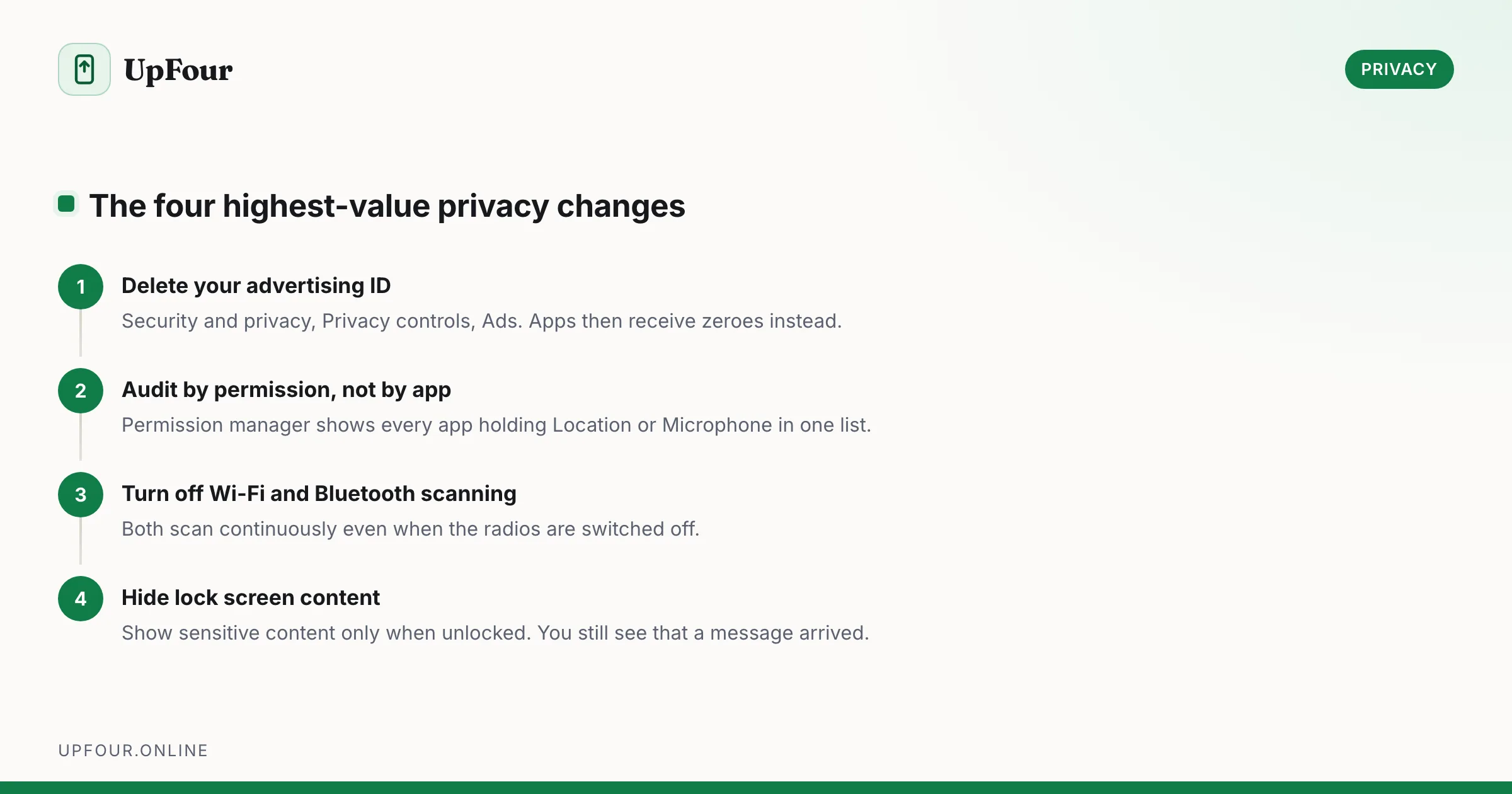
These guides cover the settings that measurably reduce tracking rather than the ones that merely feel private. That means auditing permissions by permission instead of by app — which is the only way to see every app holding your microphone in one list — deleting your advertising ID, turning off the Wi-Fi and Bluetooth scanning that runs even when both radios are off, and stopping message content appearing on your lock screen.
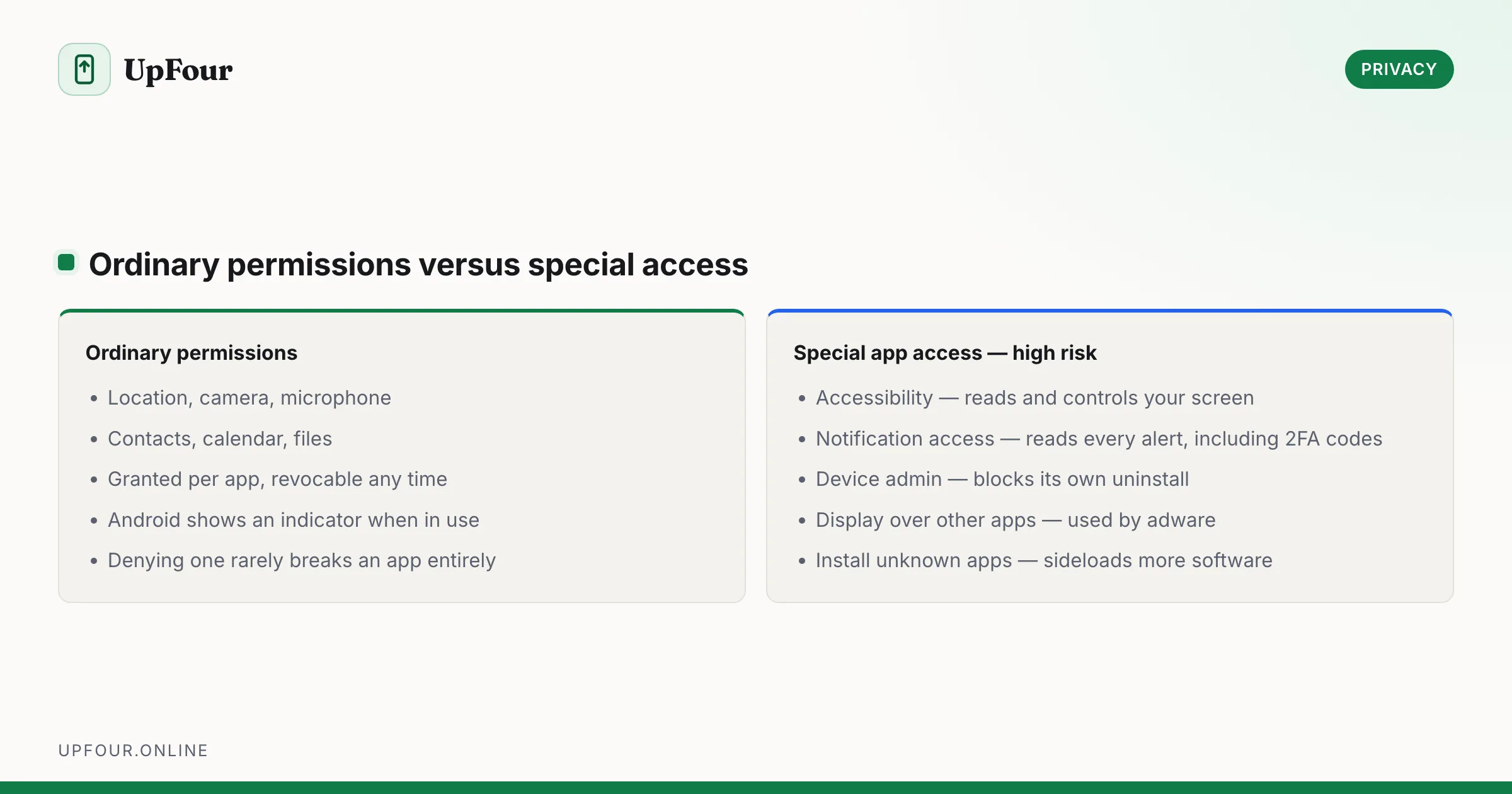
We also explain what each permission actually grants, because the difference between ordinary permissions and special access such as Accessibility or Notification access is enormous, and the latter is exactly what malware asks for.
What every Android permission actually allows, which ones apps abuse, and how to audit and revoke access without breaking the apps you rely on.
A concrete Android privacy checklist — permissions, ad ID, location history, lock screen leaks, Private DNS and the settings that actually reduce tracking.
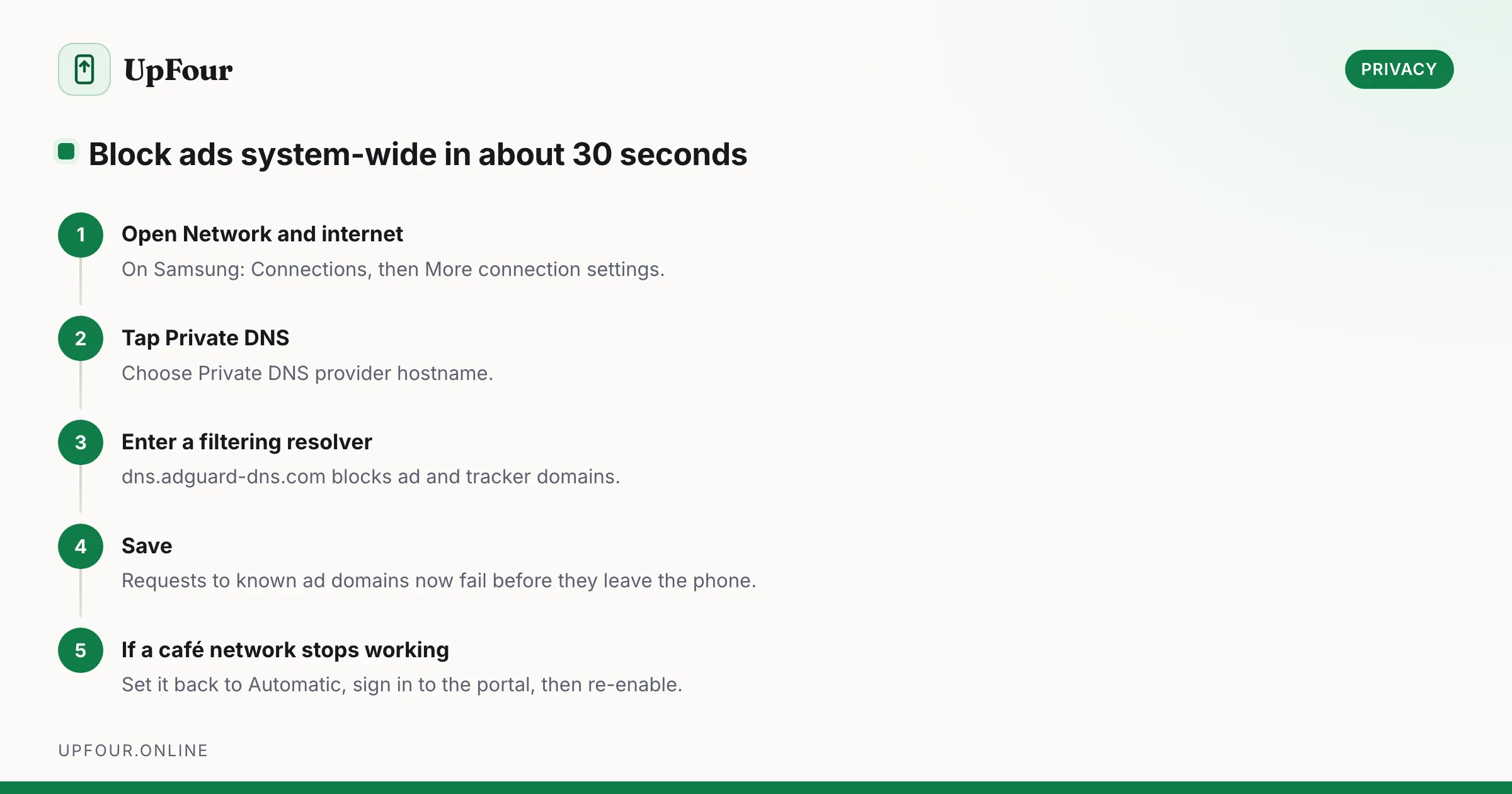
Block ads on Android without root: remove personalised ads, use a filtering DNS, and find the app responsible for full-screen pop-ups on your home screen.