Where Are Android Phones Made? Manufacturing by Brand
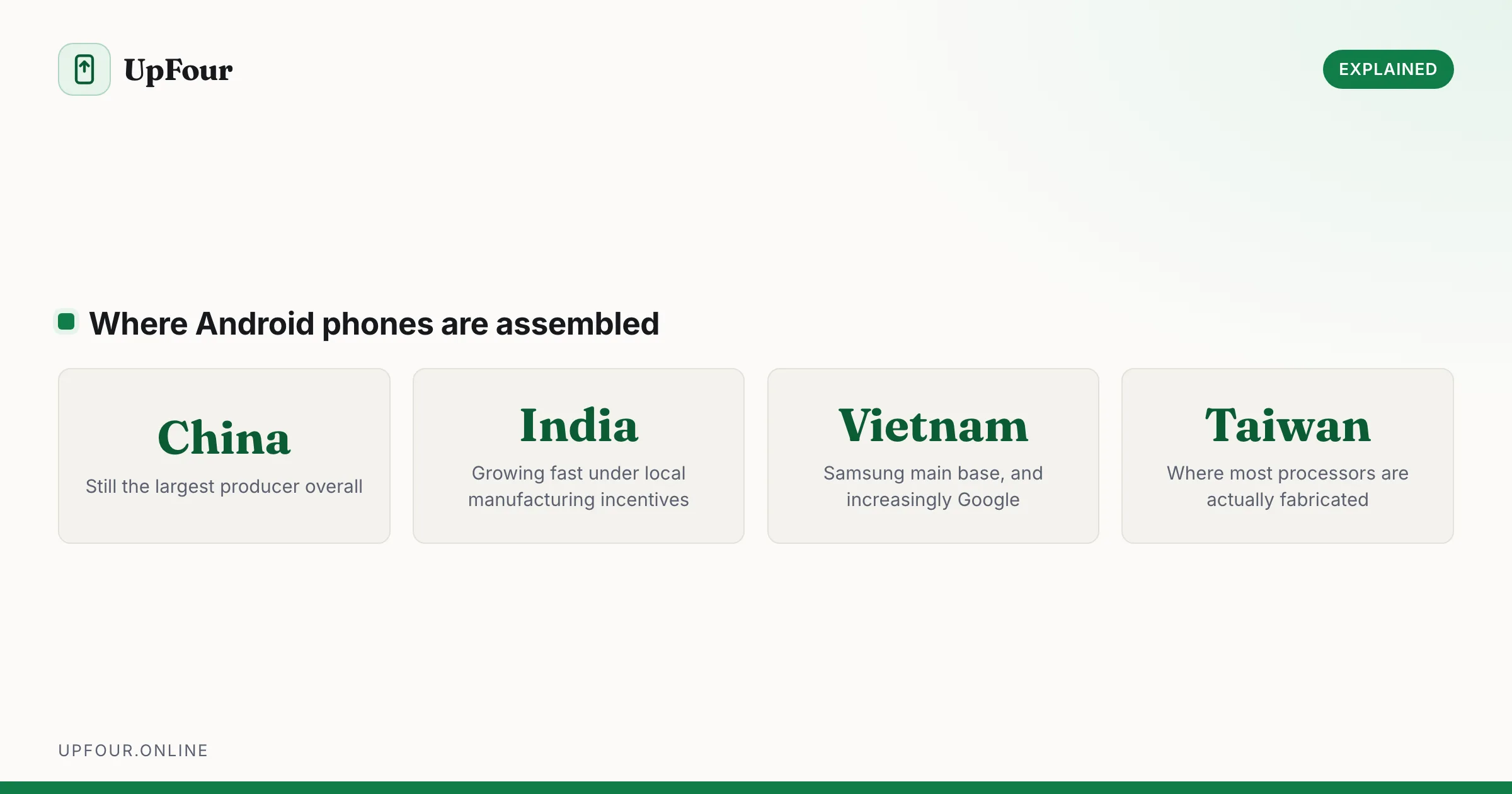
Which countries make Android phones, brand by brand — Samsung, Google Pixel, Xiaomi, OnePlus and Motorola — and why so much moved out of China.
50 guides · updated continuously
No listicles padded with settings that do nothing. Every guide here is a diagnostic sequence or an exact menu path — written for real phones, from Pixel to Galaxy to whatever your carrier sold you.
Which countries make Android phones, brand by brand — Samsung, Google Pixel, Xiaomi, OnePlus and Motorola — and why so much moved out of China.
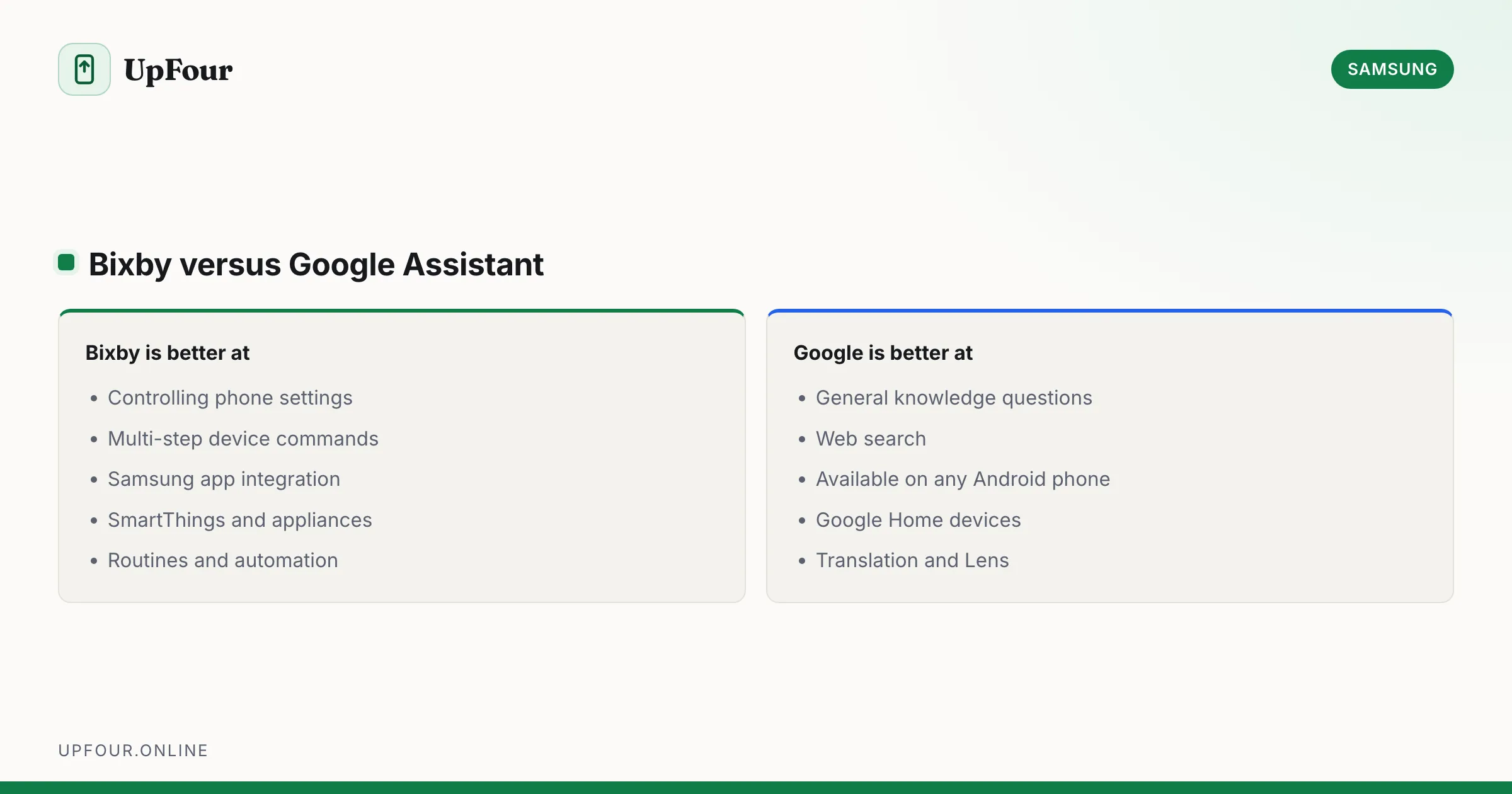
What Bixby does, how it differs from Google Assistant and Gemini, how to remap the power button, and how to turn Bixby off entirely.
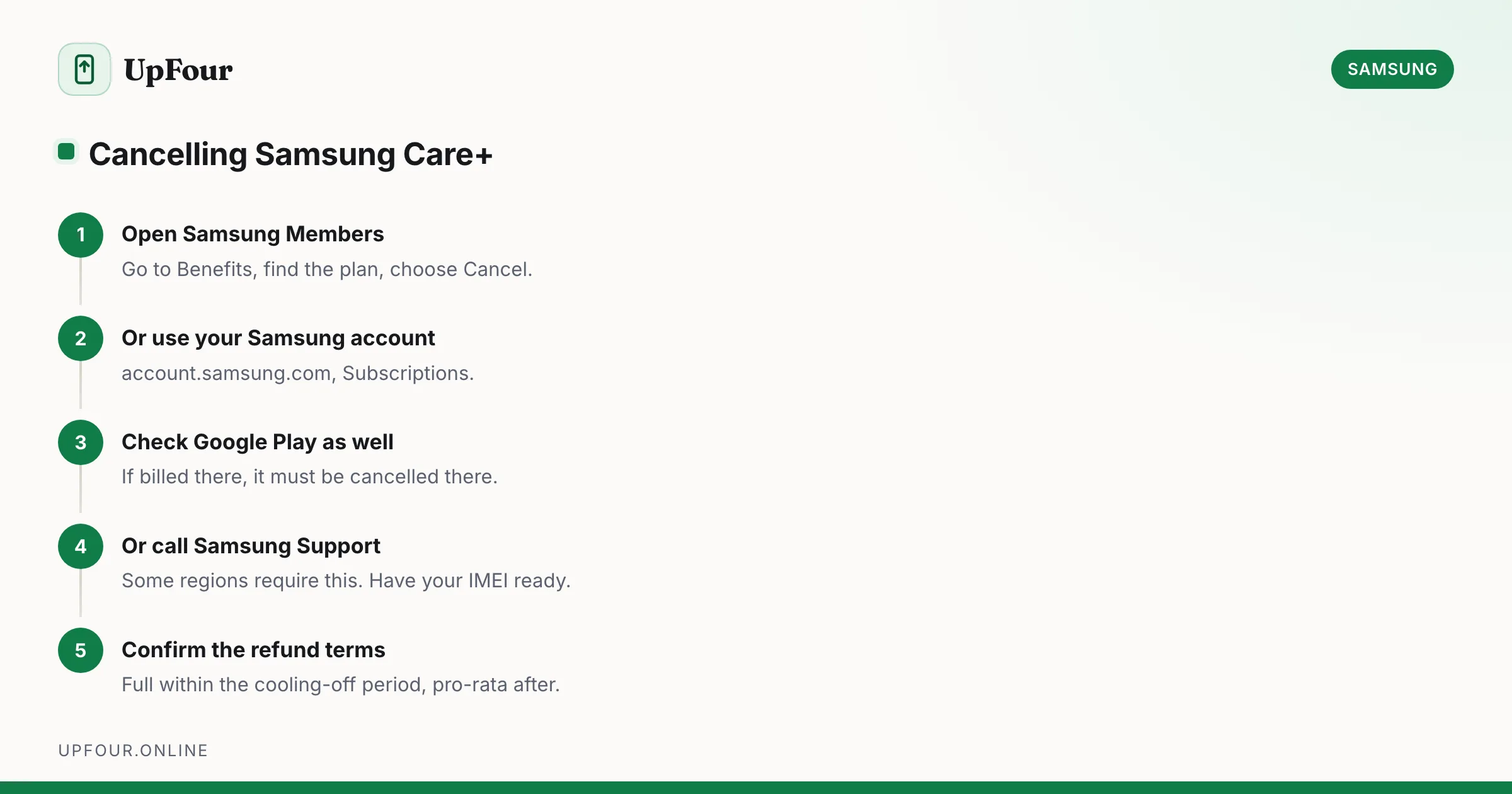
Cancel a Samsung Care+ plan, understand refunds and cancellation windows, and learn how to add coverage to a phone you already own.
Walkthroughs for the Android settings that matter — notifications, defaults, display, network and the toggles buried four menus deep.
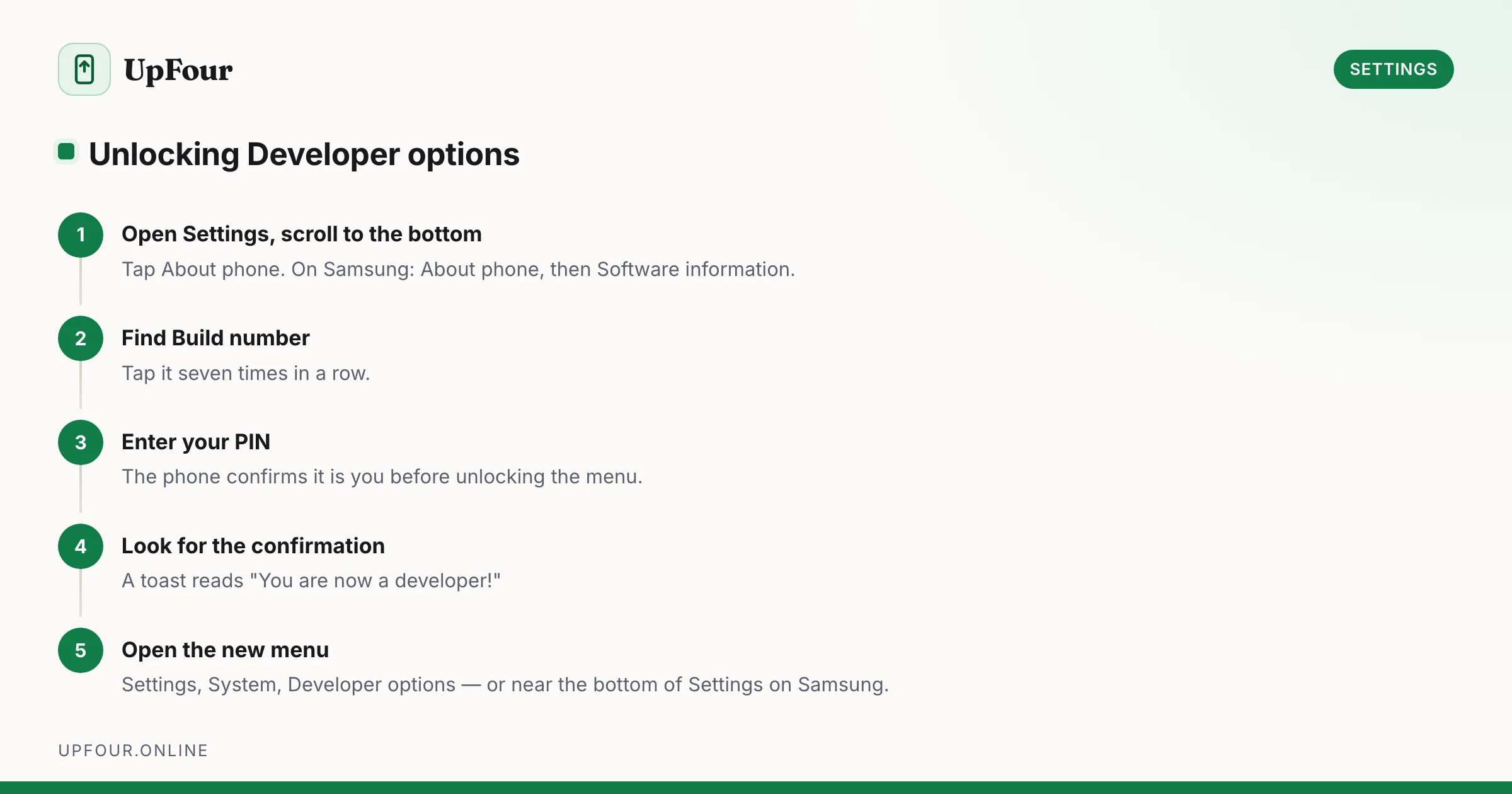
Enable Developer Options on any Android phone in under a minute, then use the eight settings that genuinely speed up your device — and skip the ones that break things.
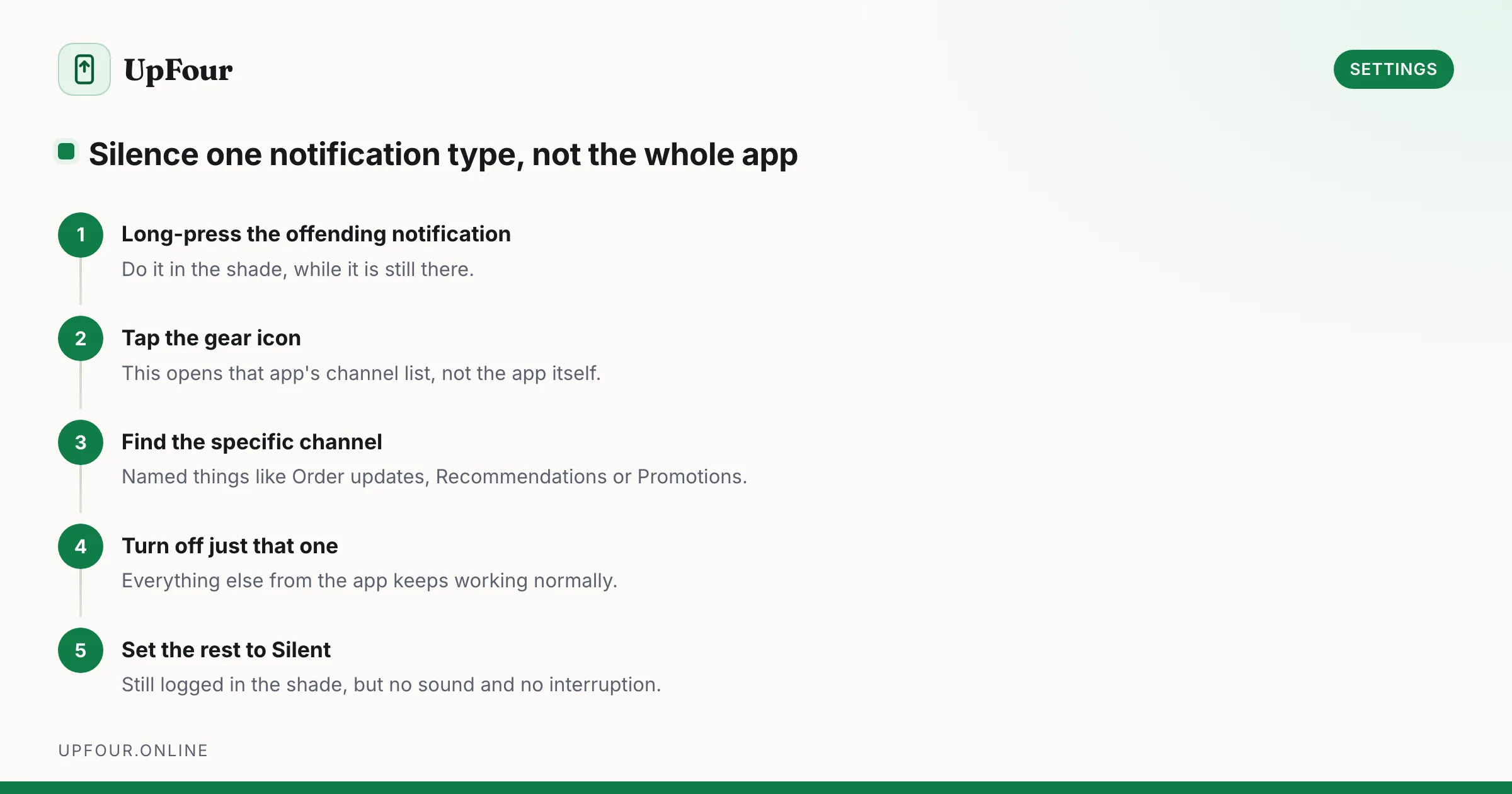
Stop app-by-app notification whack-a-mole. Use notification channels, priority conversations and Modes to silence noise without missing anything that matters.
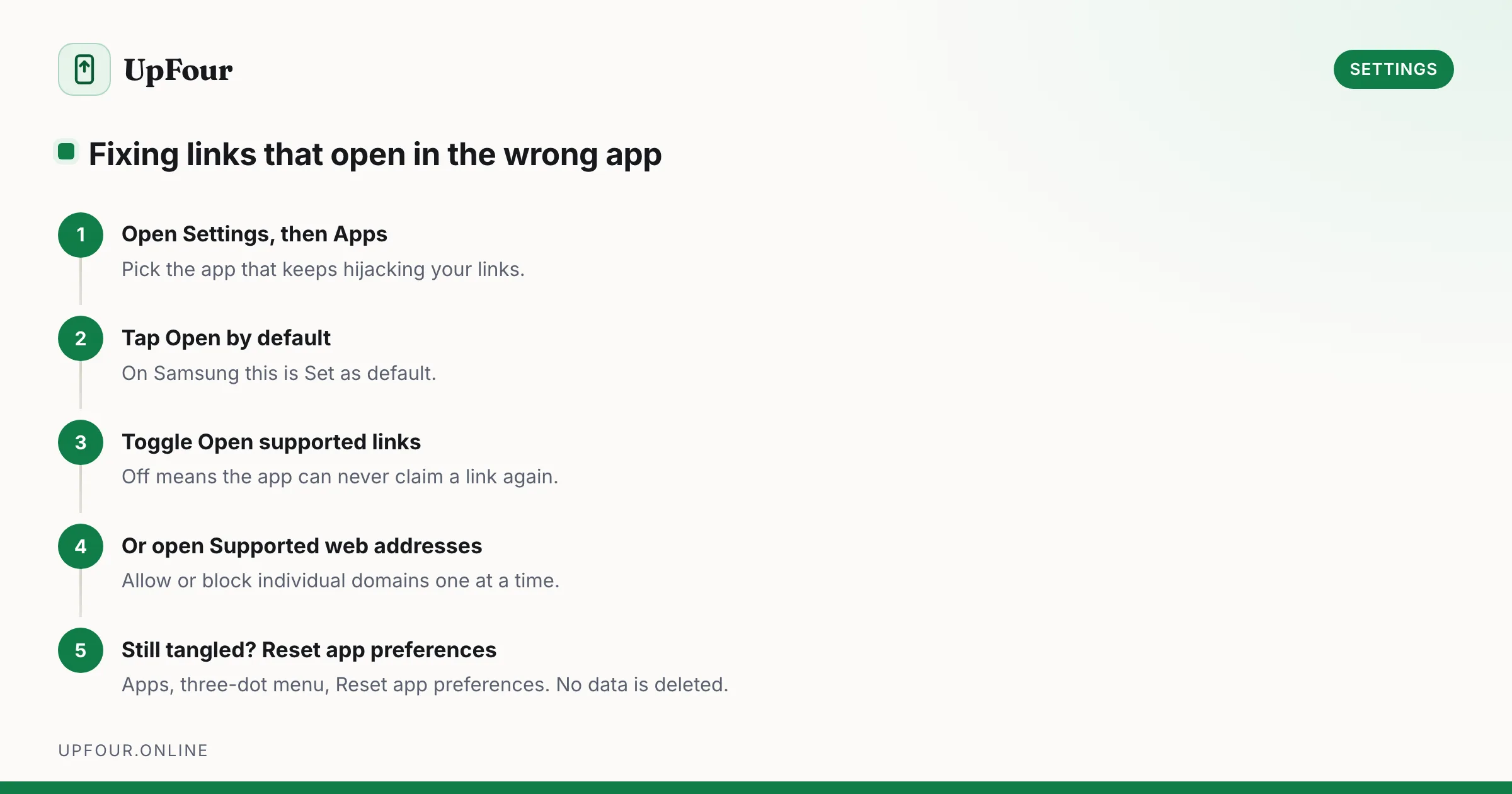
Set your default browser, launcher, SMS and assistant on Android — and fix the link-handling rules that keep opening links in the wrong app.
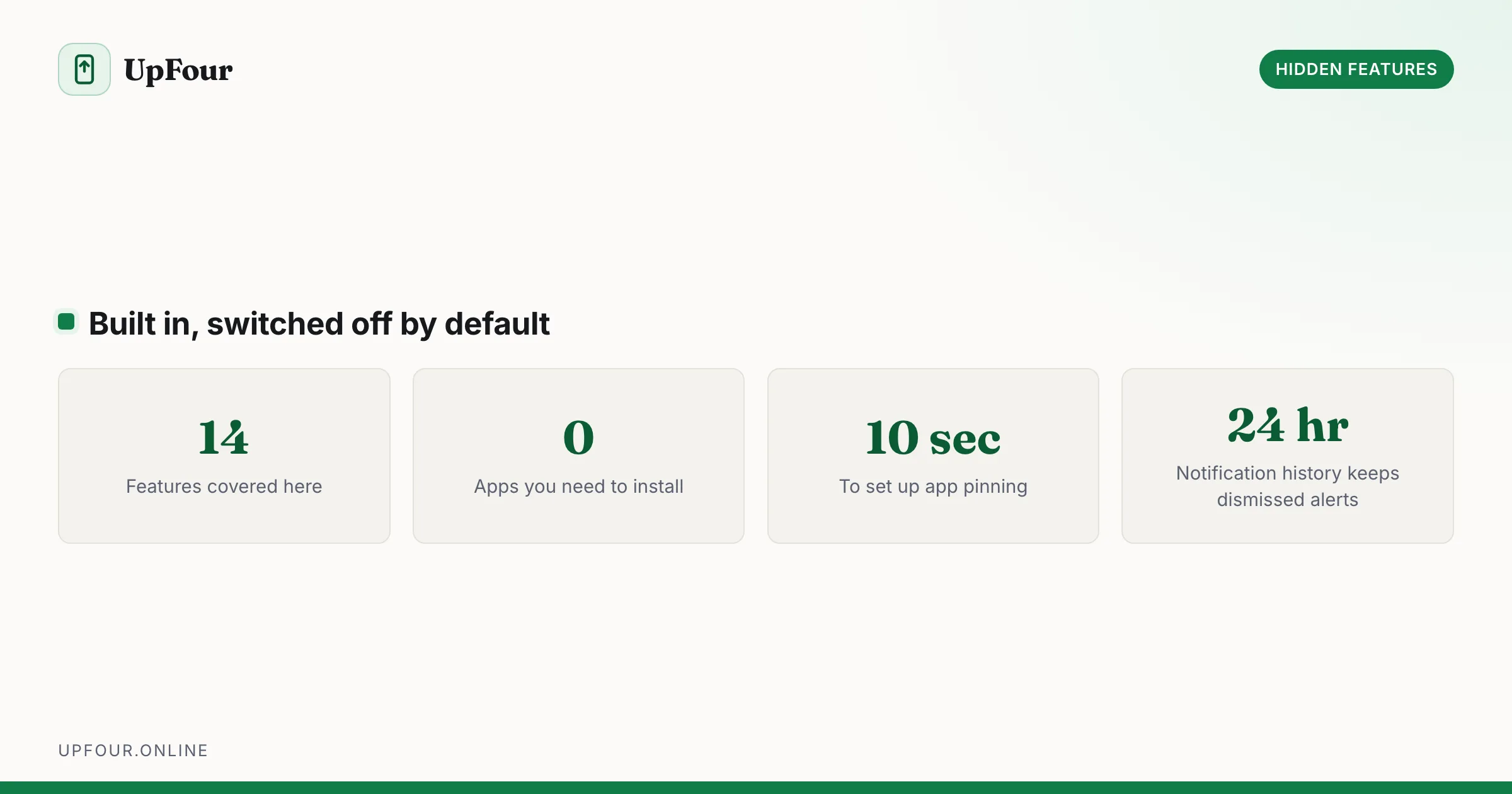
Undocumented and easy-to-miss Android features: developer options, secret menus, gestures and power-user shortcuts.
Genuinely useful Android features buried in submenus: one-handed mode, app pinning, split-screen shortcuts, clipboard search, extra dim and more.
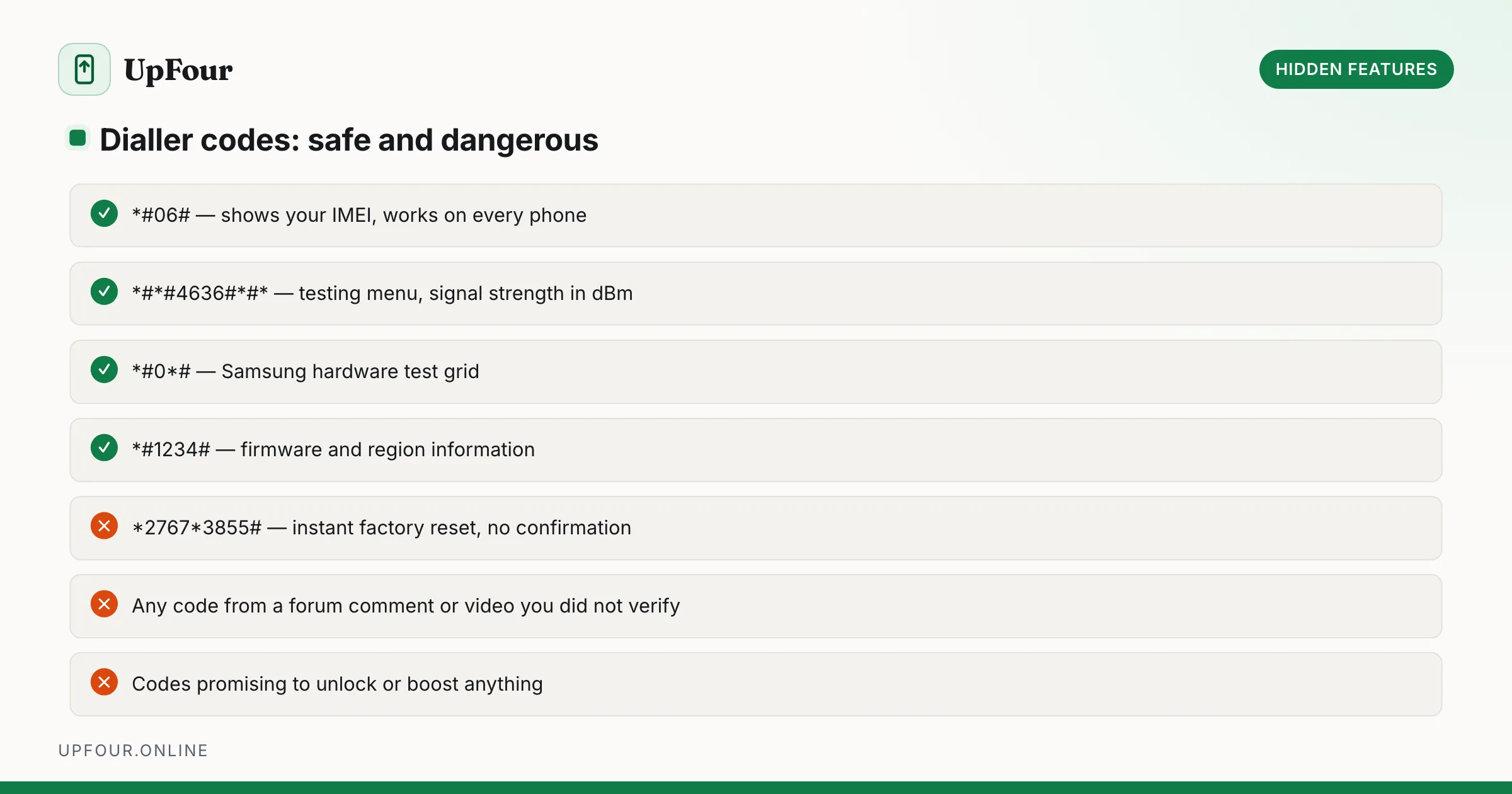
The hidden diagnostic menus on Android — dialer codes, Safe Mode, Recovery and the testing screens — what each one does and when it is safe to use.
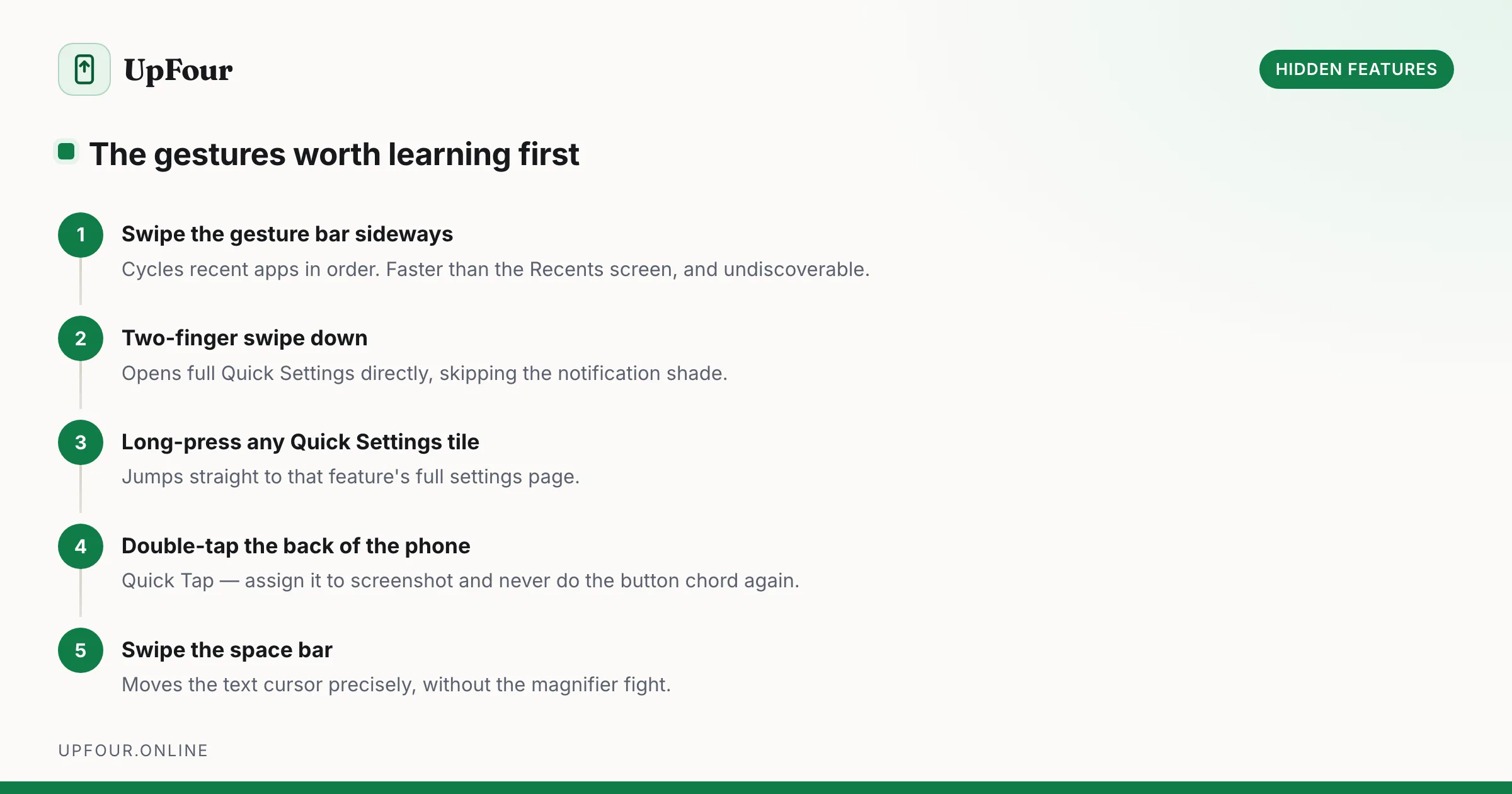
A complete map of Android navigation gestures, quick-tap actions, power button shortcuts and Quick Settings tricks that cut taps out of your day.
Step-by-step fixes for the Android problems people actually hit — battery drain, storage full, Wi-Fi drops, overheating and app crashes.
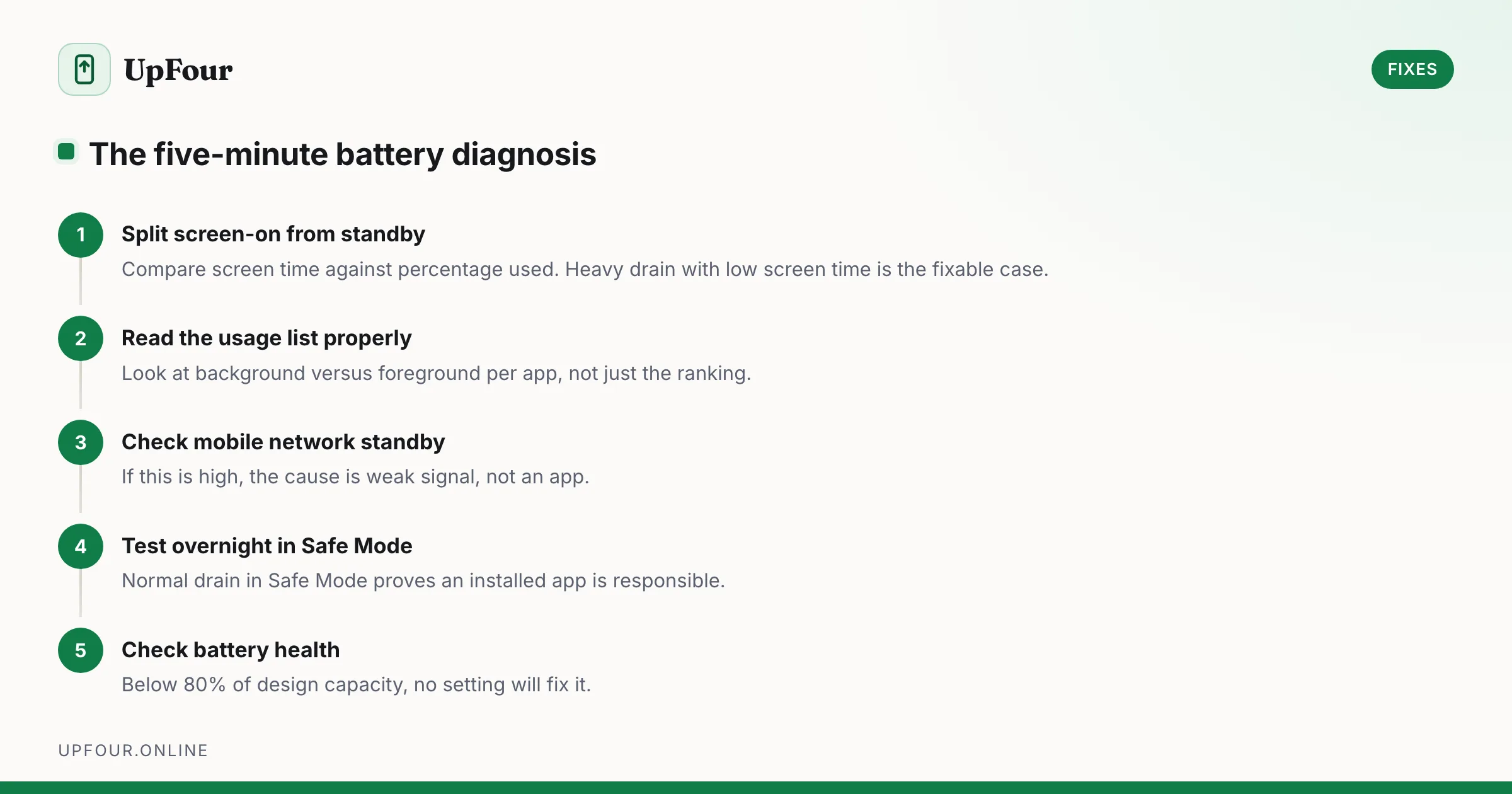
Stop guessing. Diagnose Android battery drain in order — usage stats, screen-on vs standby drain, mobile signal, rogue wakelocks — then apply the fix that matches.
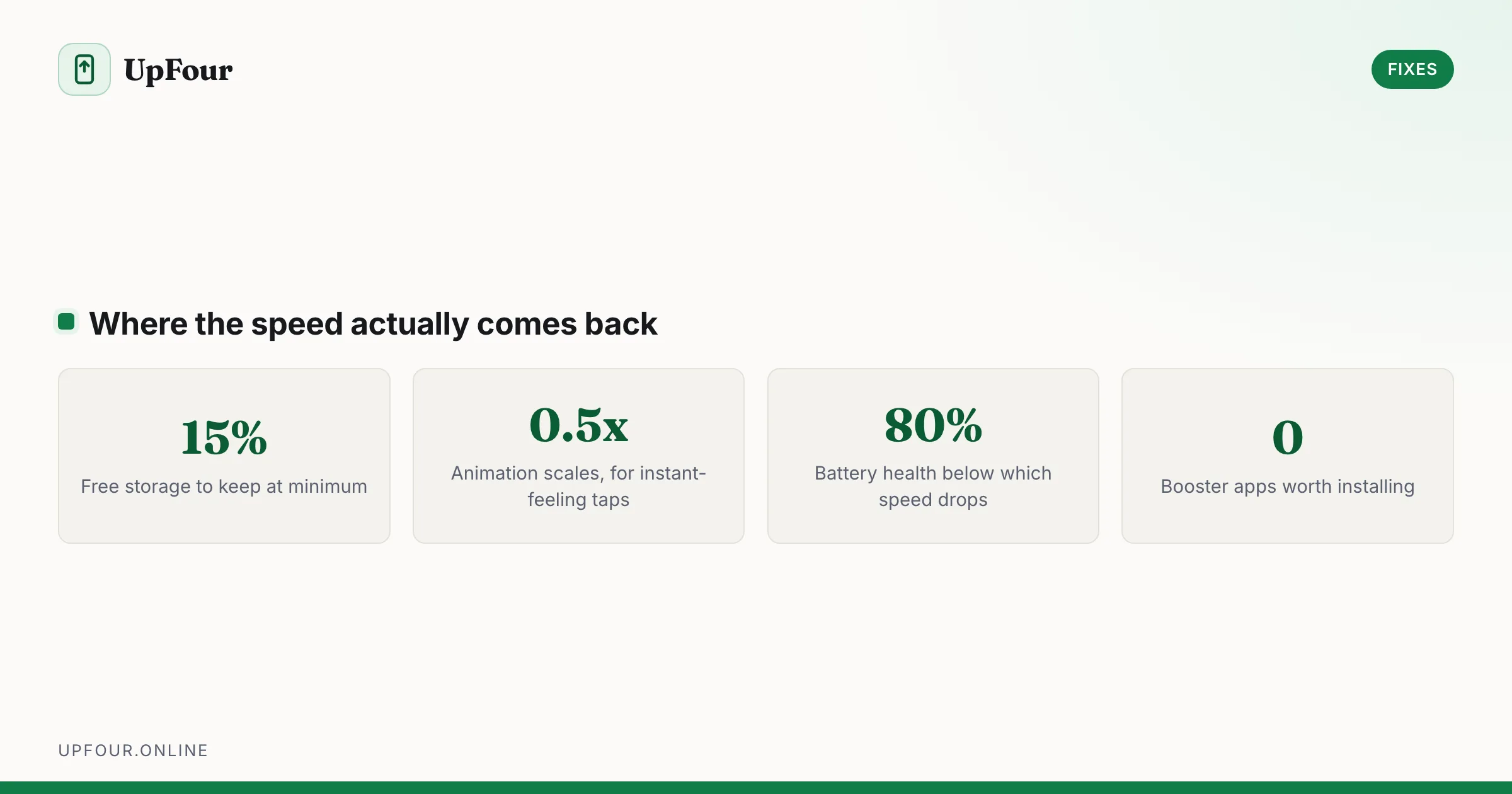
Real fixes for a slow Android phone: animation scales, storage headroom, disabling bloatware, taming background sync and knowing when the hardware is the limit.
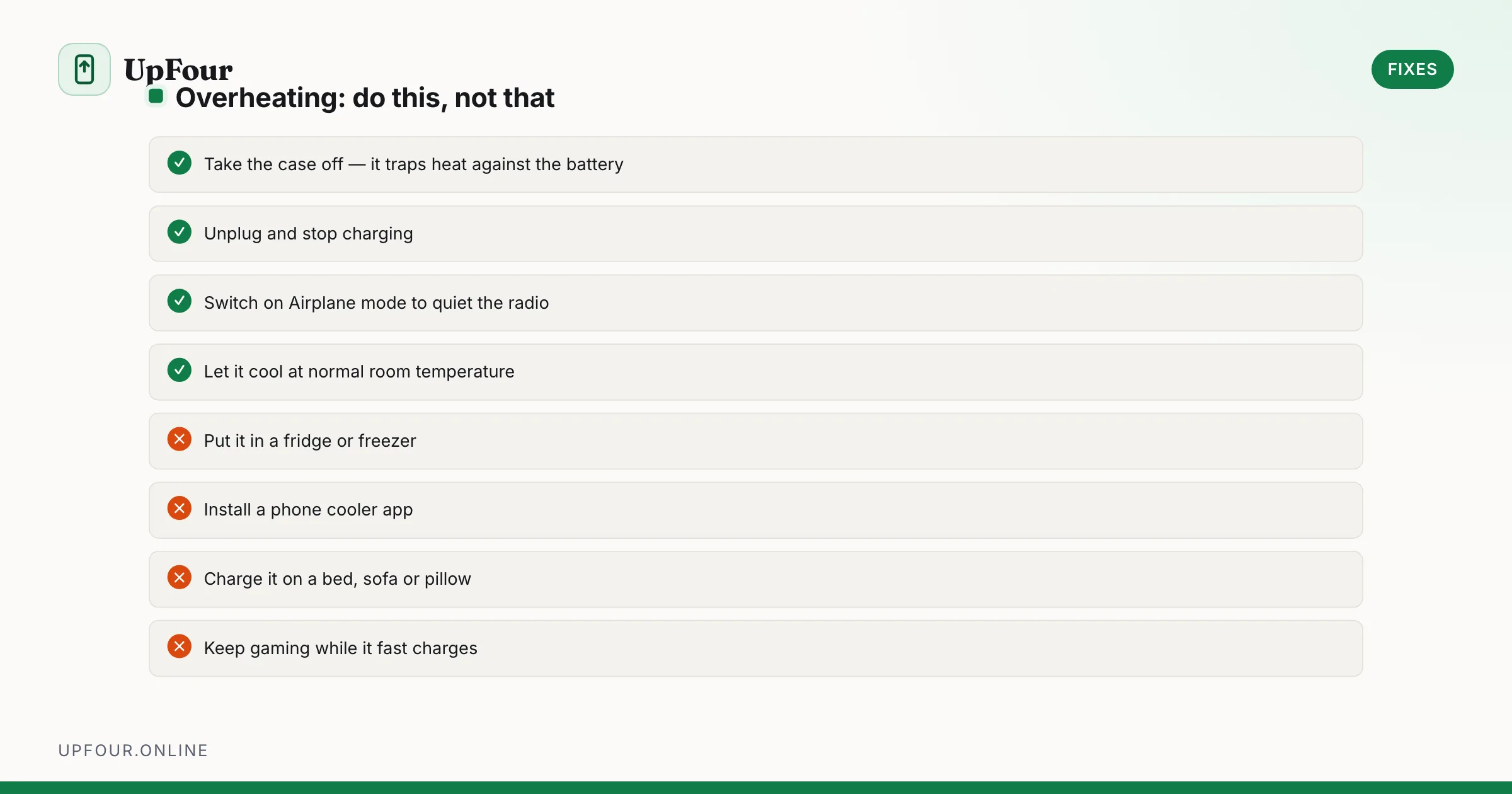
Diagnose Android overheating properly: charging heat, camera and 5G thermal limits, rogue background apps, and the cooling mistakes that damage phones.
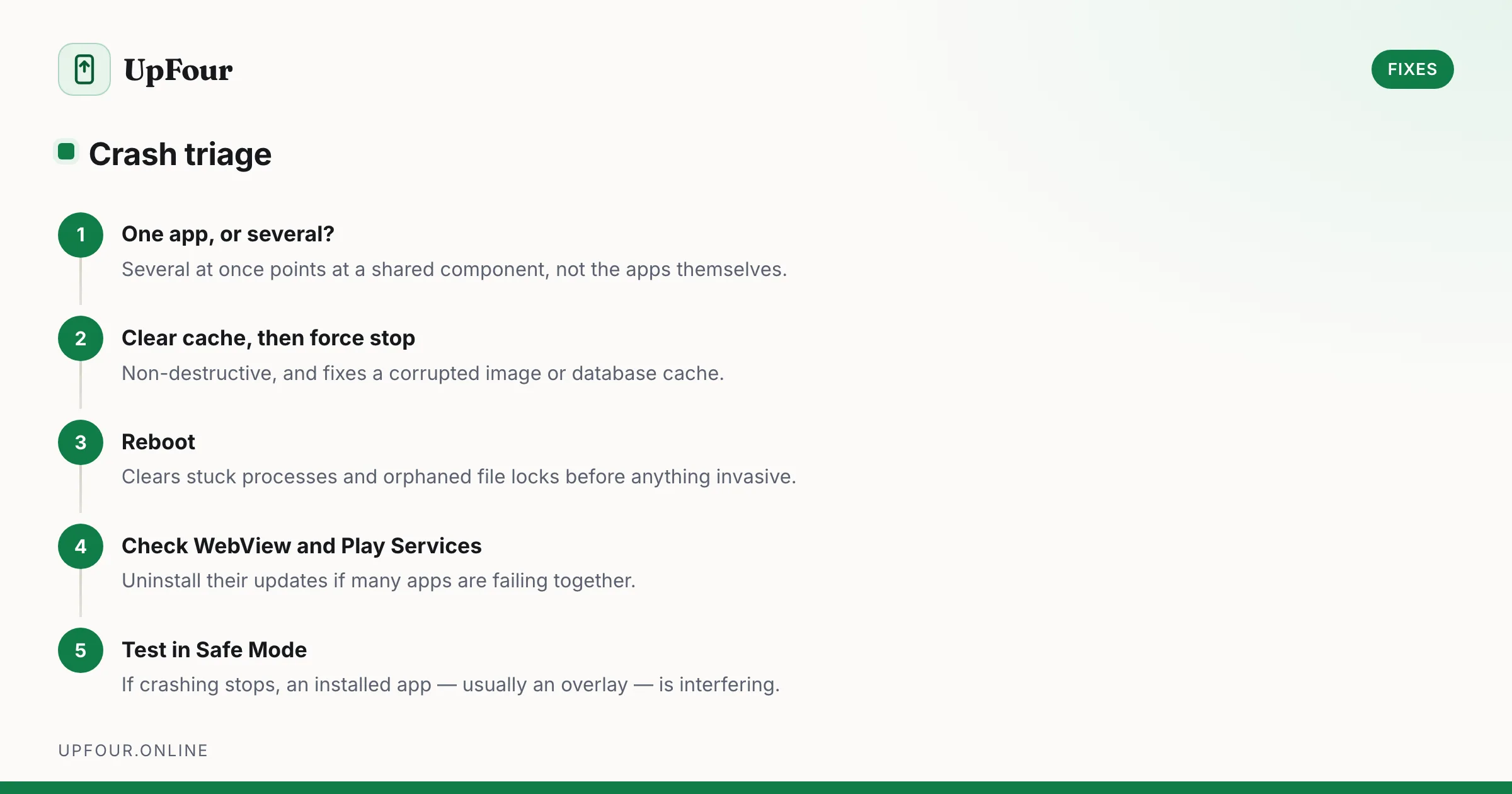
Fix Android apps that crash, freeze or close instantly — from clearing cache and rolling back updates to repairing Play Services and WebView.
Lock down permissions, tracking, ads and lock-screen leaks on any Android phone.
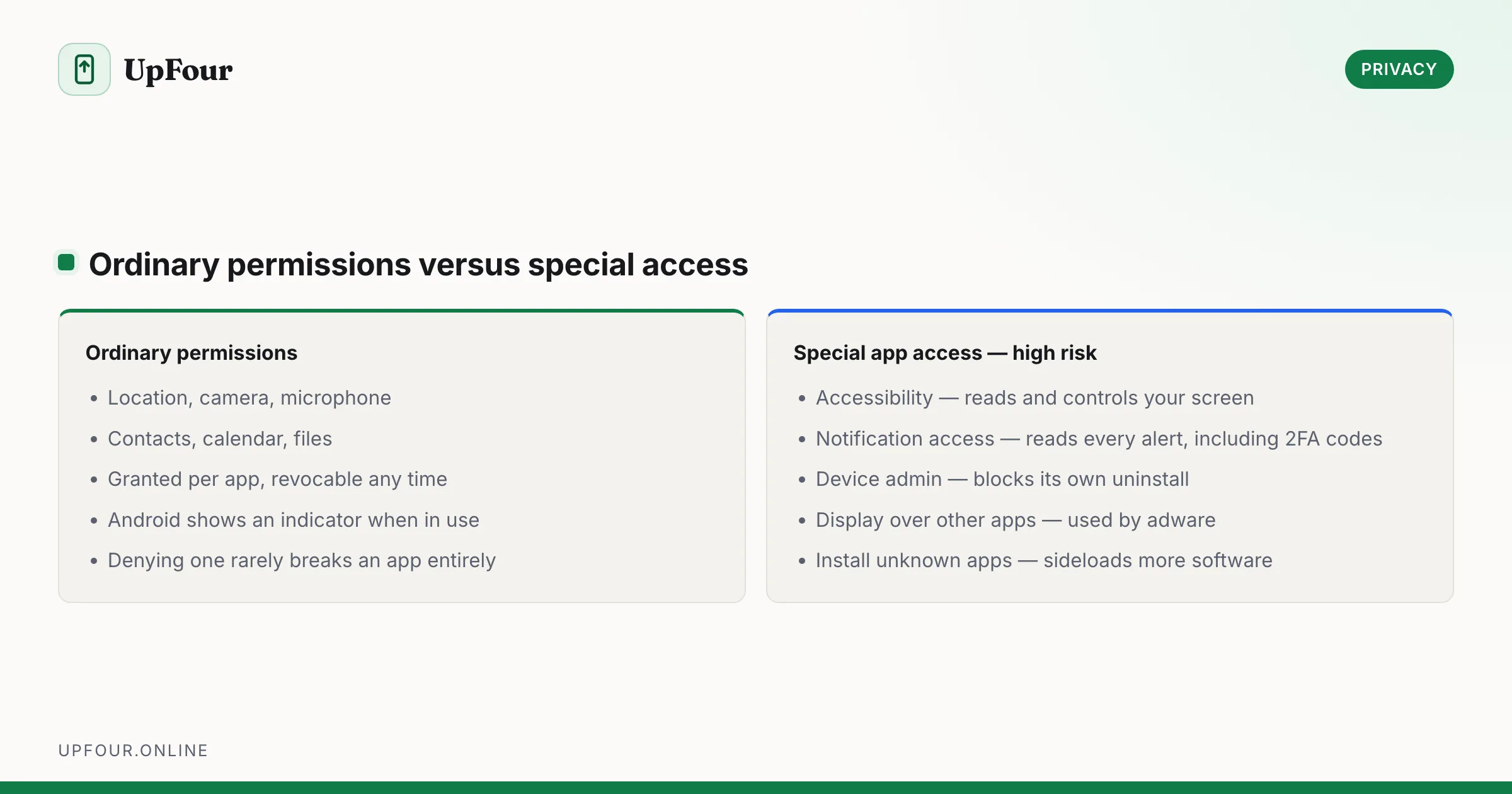
What every Android permission actually allows, which ones apps abuse, and how to audit and revoke access without breaking the apps you rely on.
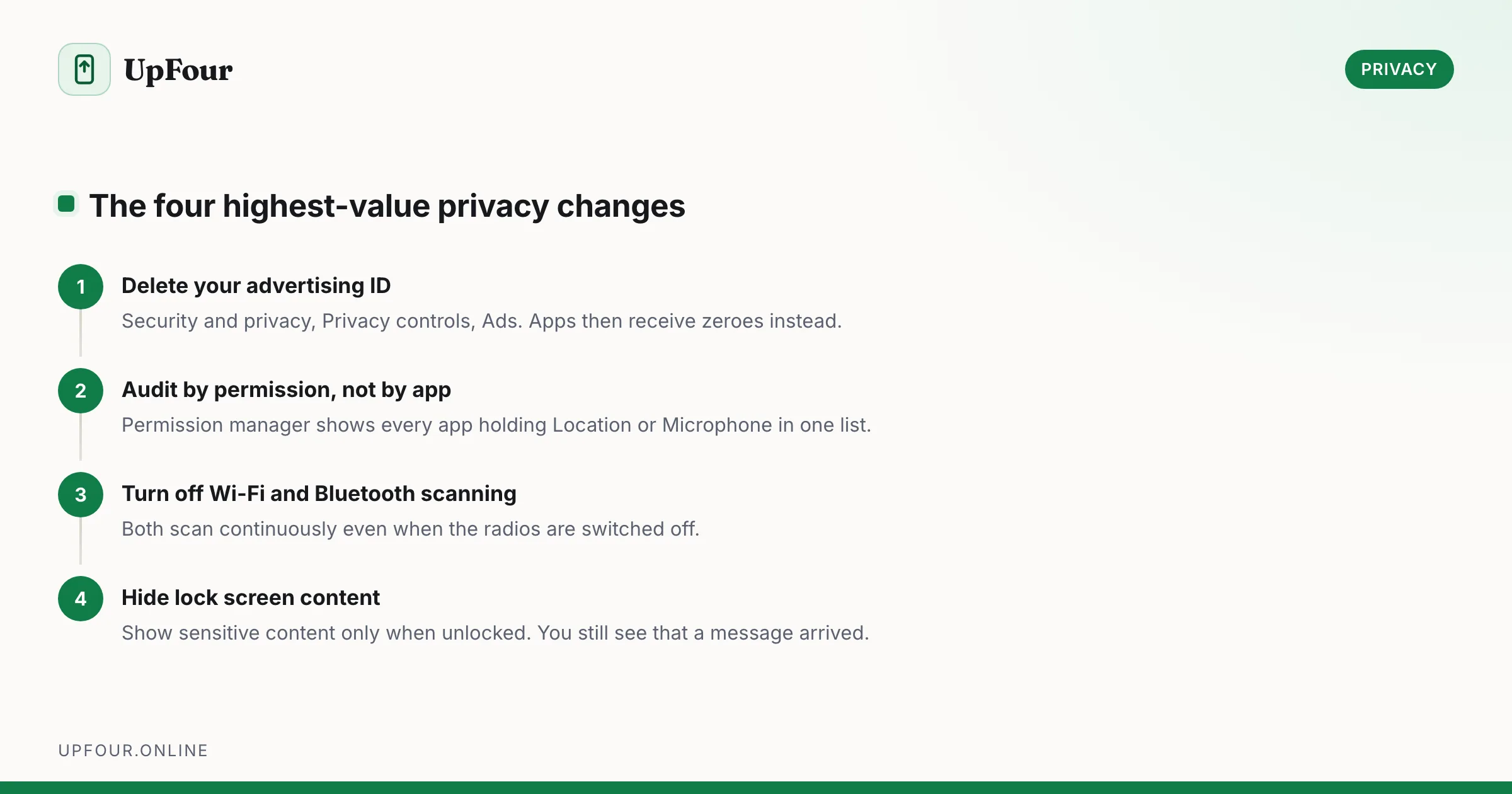
A concrete Android privacy checklist — permissions, ad ID, location history, lock screen leaks, Private DNS and the settings that actually reduce tracking.
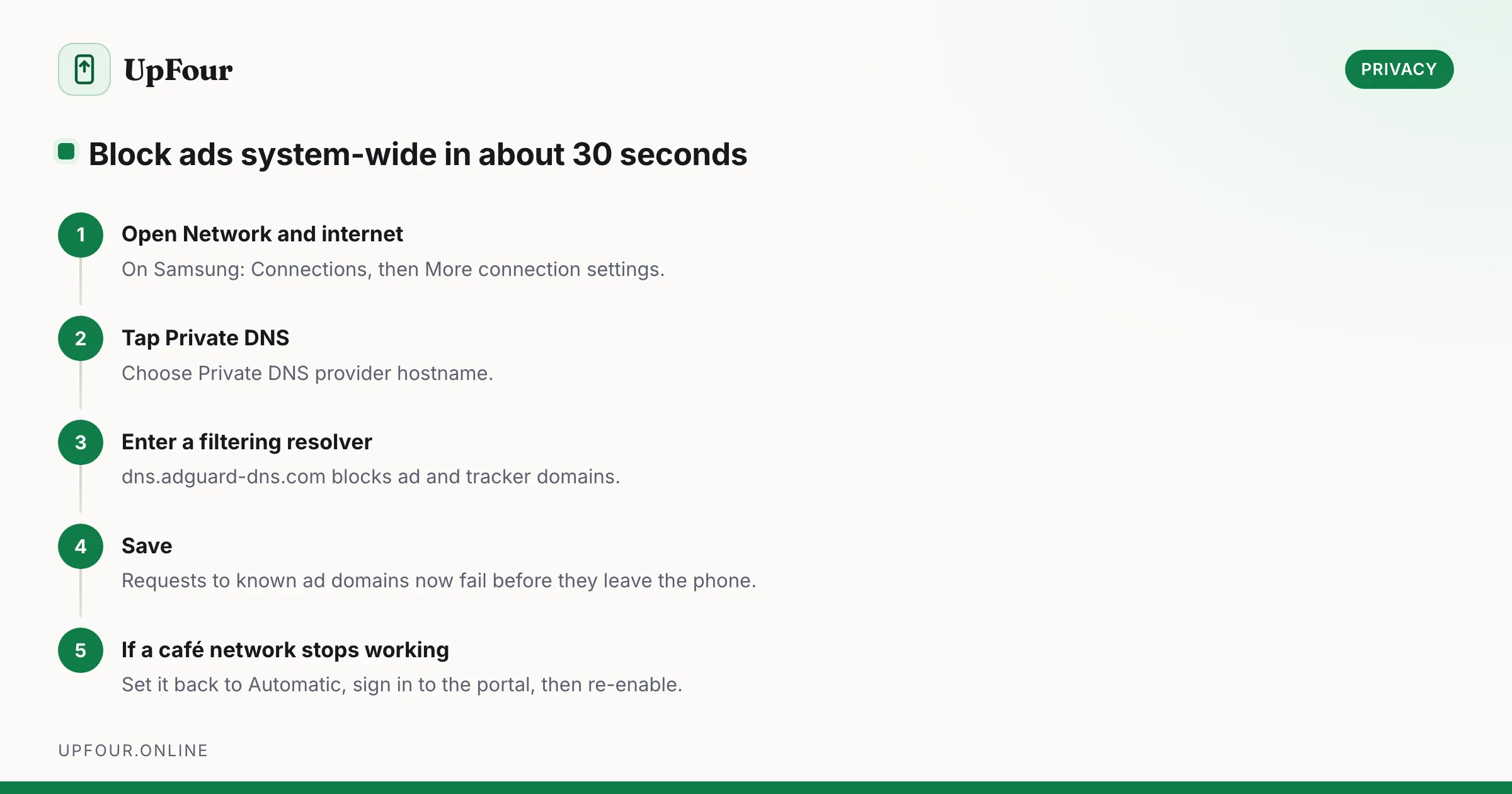
Block ads on Android without root: remove personalised ads, use a filtering DNS, and find the app responsible for full-screen pop-ups on your home screen.
Samsung account passwords, Samsung Cloud, Find My Mobile, Samsung Care+ and the Galaxy features that work differently from stock Android.
What Bixby does, how it differs from Google Assistant and Gemini, how to remap the power button, and how to turn Bixby off entirely.
Cancel a Samsung Care+ plan, understand refunds and cancellation windows, and learn how to add coverage to a phone you already own.
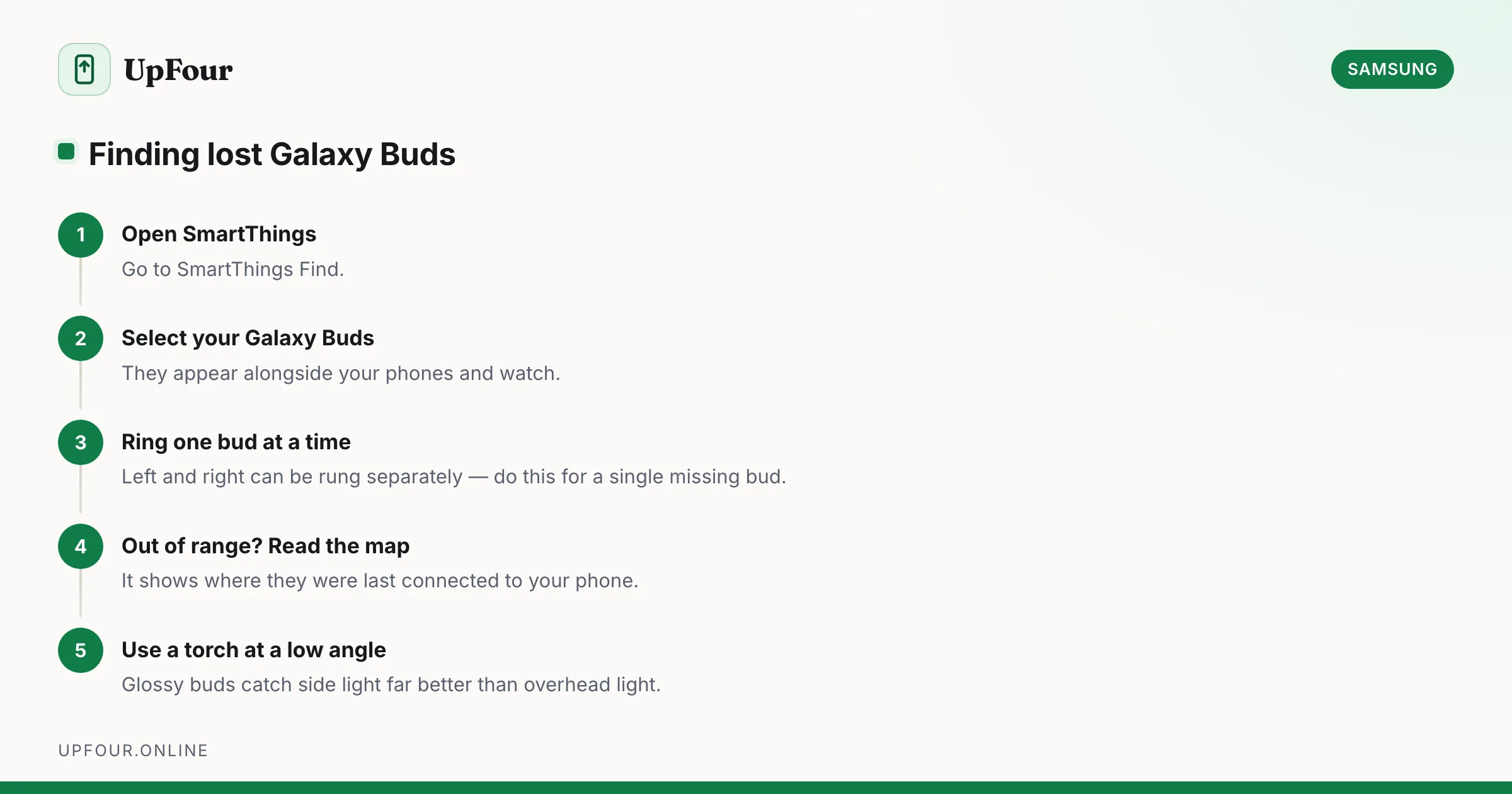
Locate lost Galaxy Buds with SmartThings Find, make them ring, see their last known location, and find a single earbud lost around the house.
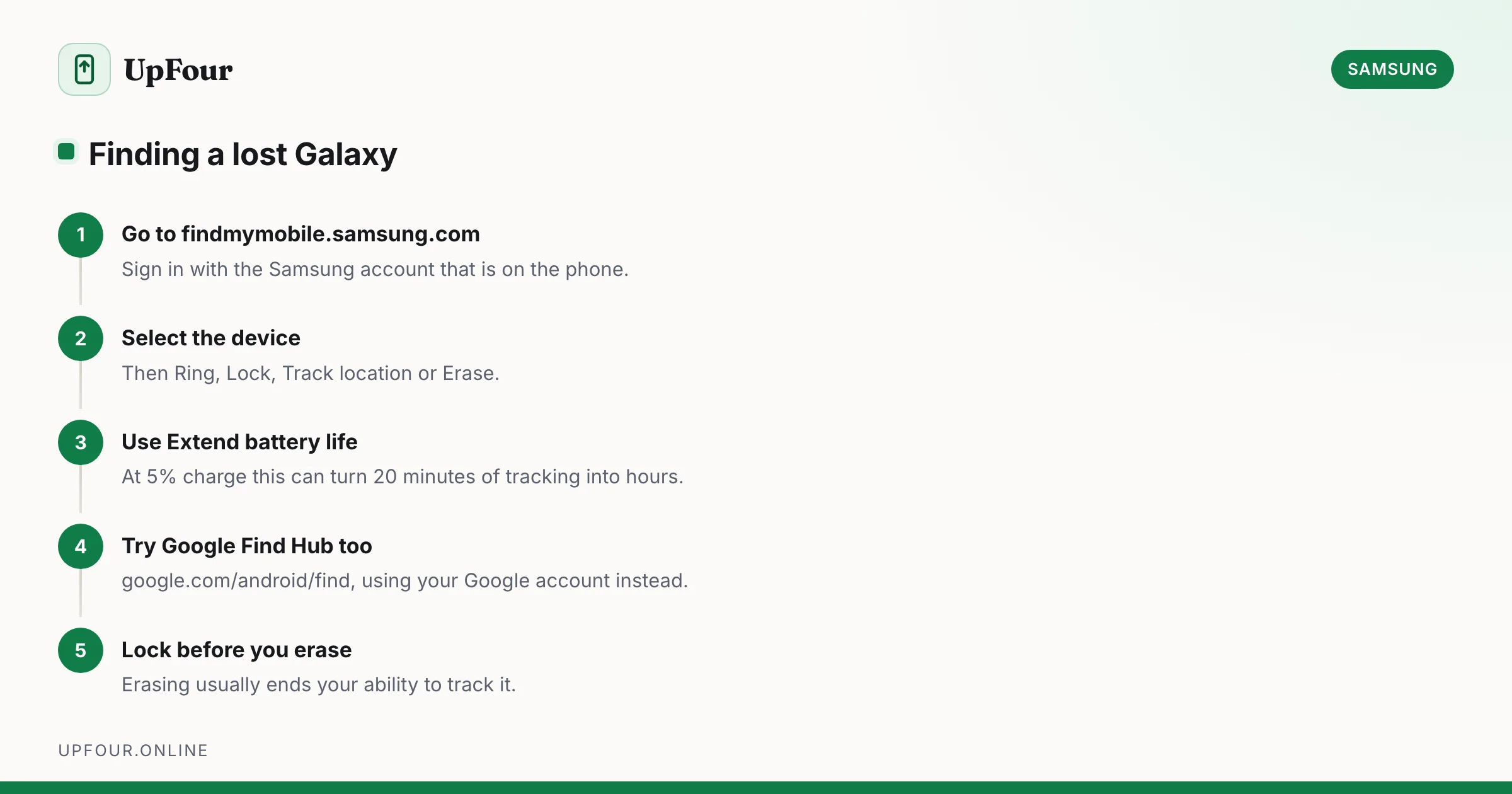
Locate, ring, lock or wipe a lost Galaxy phone using Samsung Find My Mobile or Google Find Hub — including how to find one that is switched off.
Step-by-step tasks on Android and Galaxy phones — scanning documents, QR codes, transferring files and everyday jobs people search for by name.
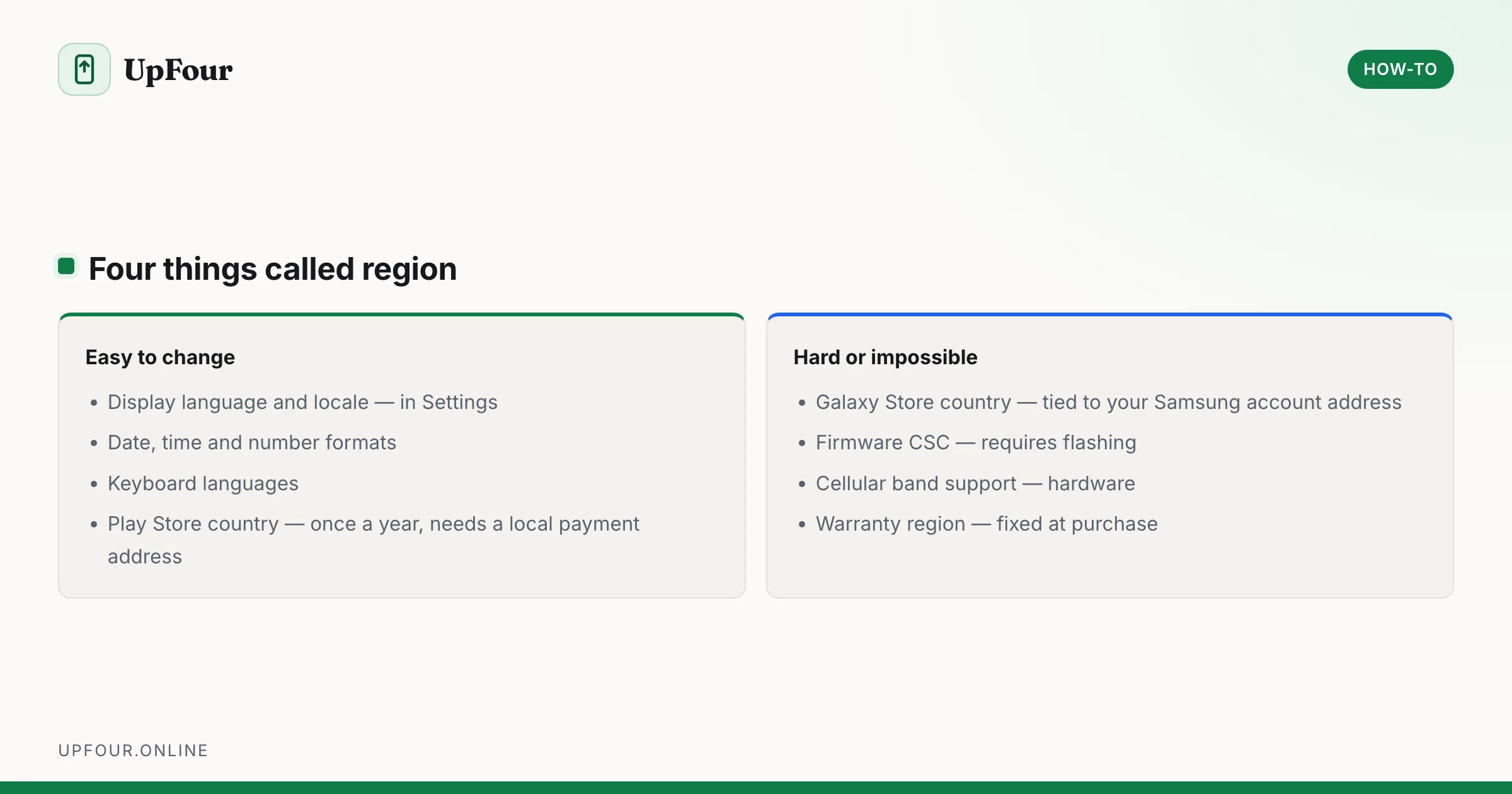
Change your country, language and store region on a Galaxy phone — what can be changed easily, what is locked to the firmware, and what breaks.
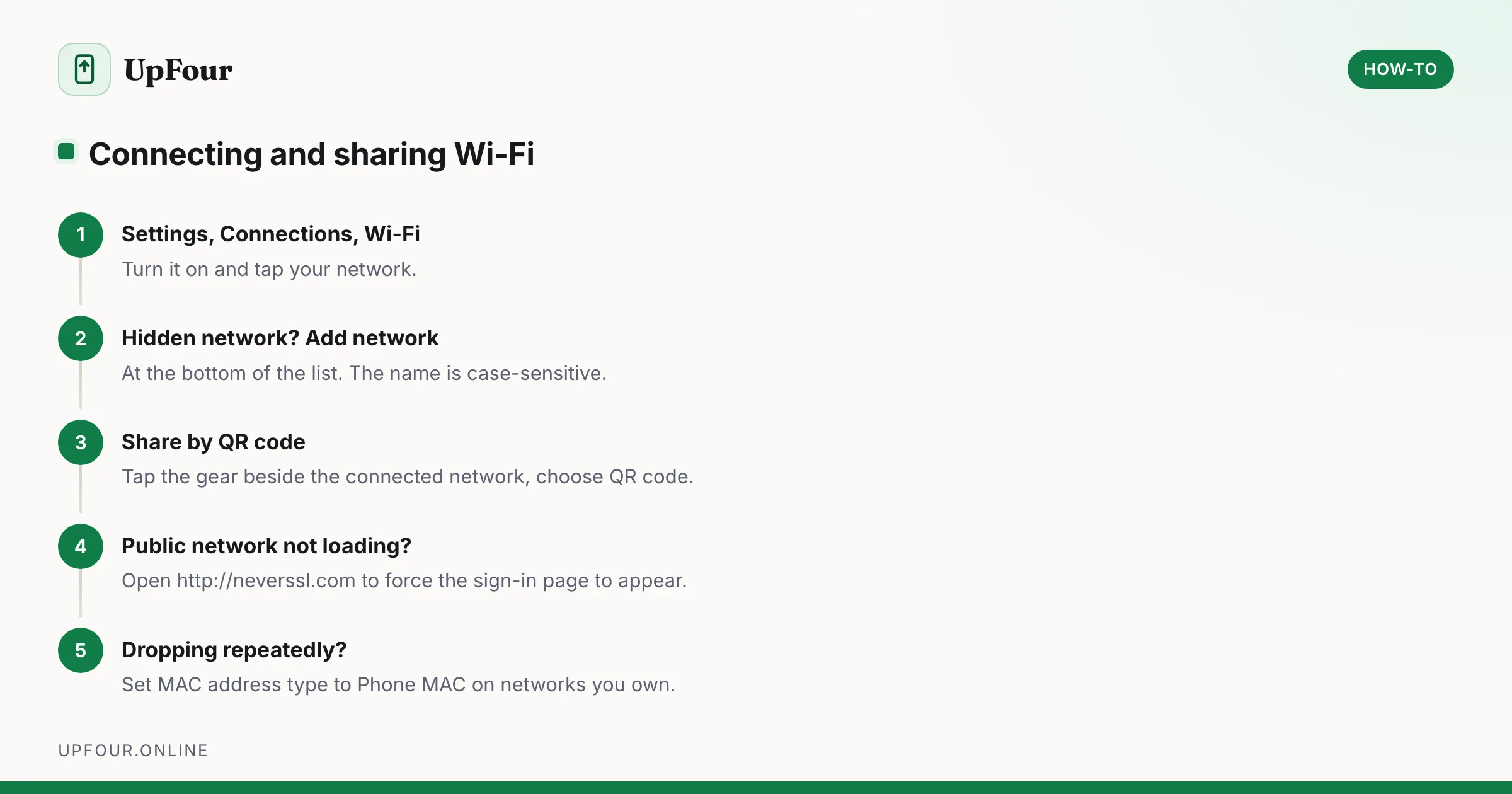
Connect a Galaxy phone to Wi-Fi, join a hidden network, share your connection by QR code, and fix a network that will not connect.
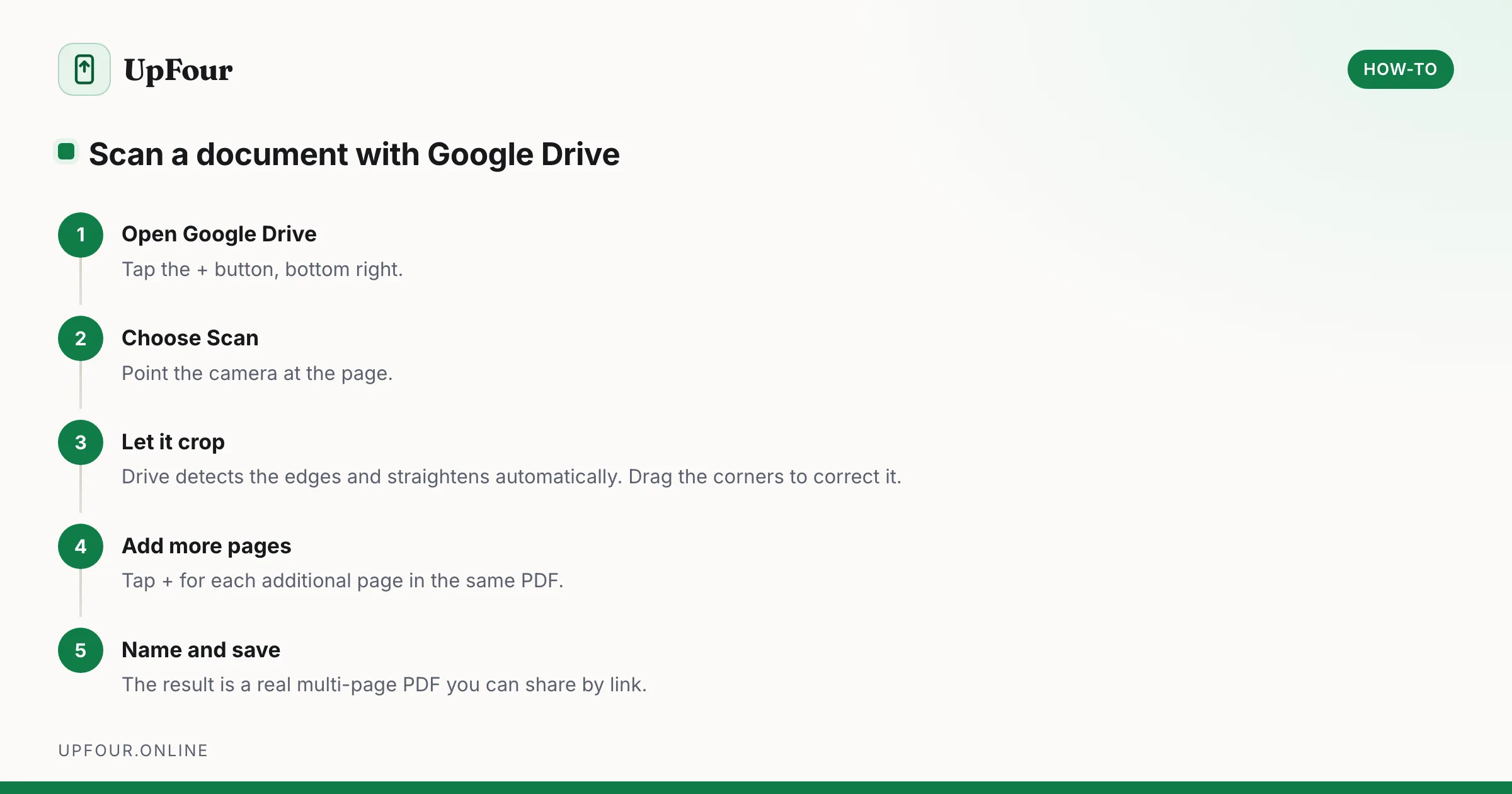
Scan documents to PDF on any Android phone using tools you already have — Google Drive, Google Files and the camera — with tips for readable, small-file scans.
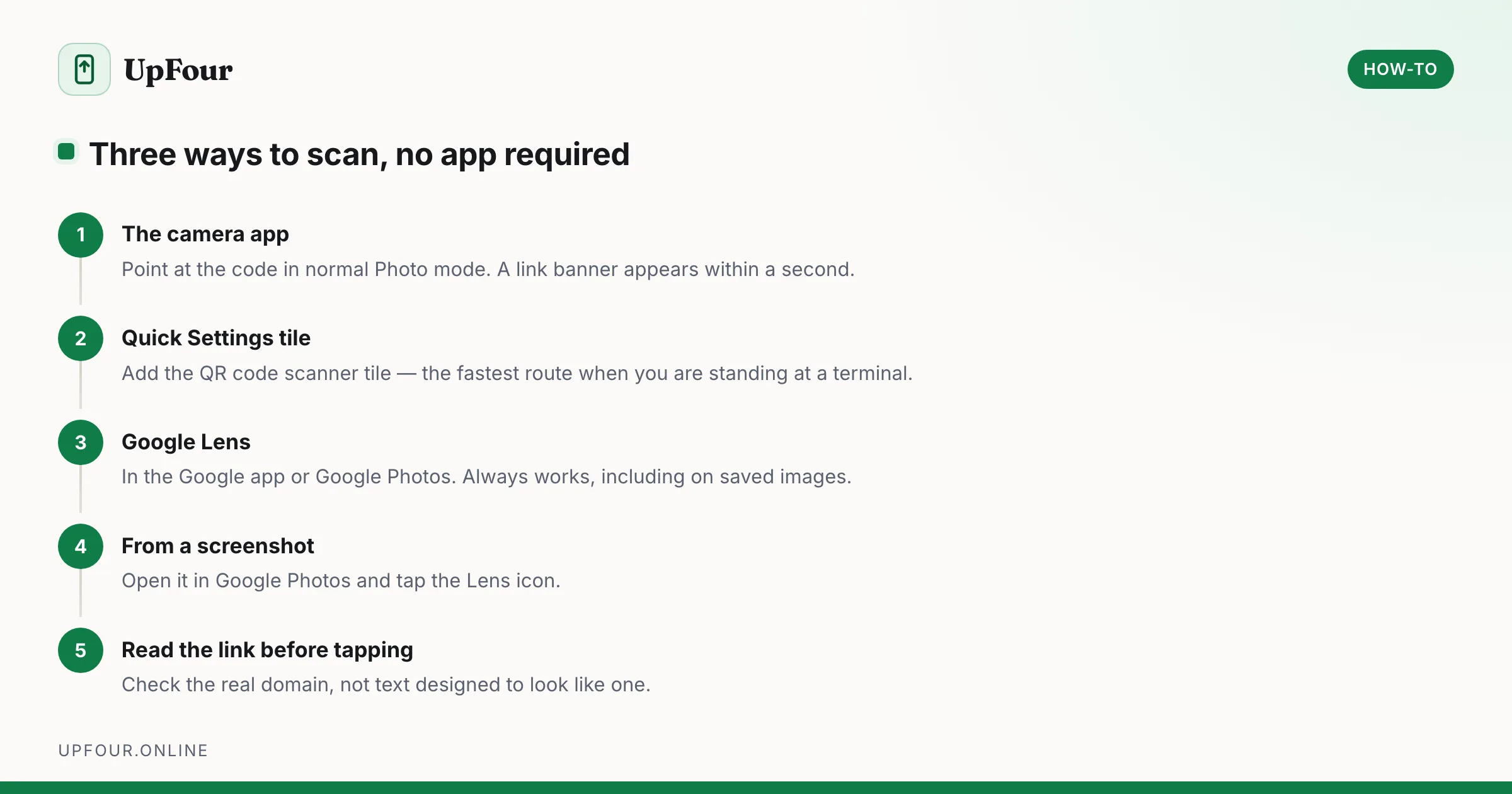
Scan QR codes on Android with the camera, Google Lens or the Quick Settings tile — no app required — and read codes from saved screenshots.
Straight answers to the questions people actually ask about Samsung and Android — where phones are made, who owns what, and which brands are related.
Which countries make Android phones, brand by brand — Samsung, Google Pixel, Xiaomi, OnePlus and Motorola — and why so much moved out of China.
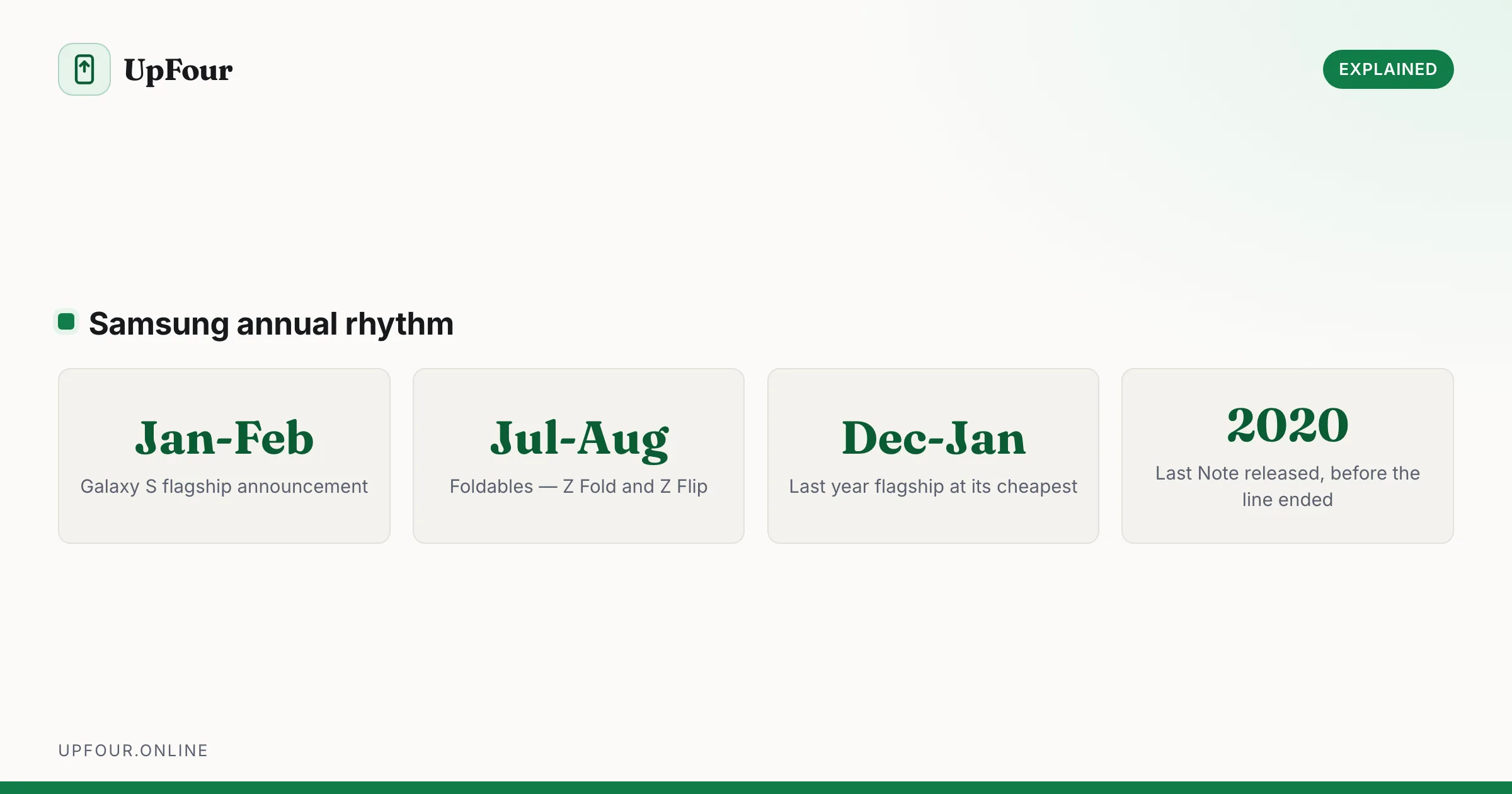
A complete timeline of Samsung Galaxy S release dates from the original through recent models, plus when Samsung typically launches new phones.
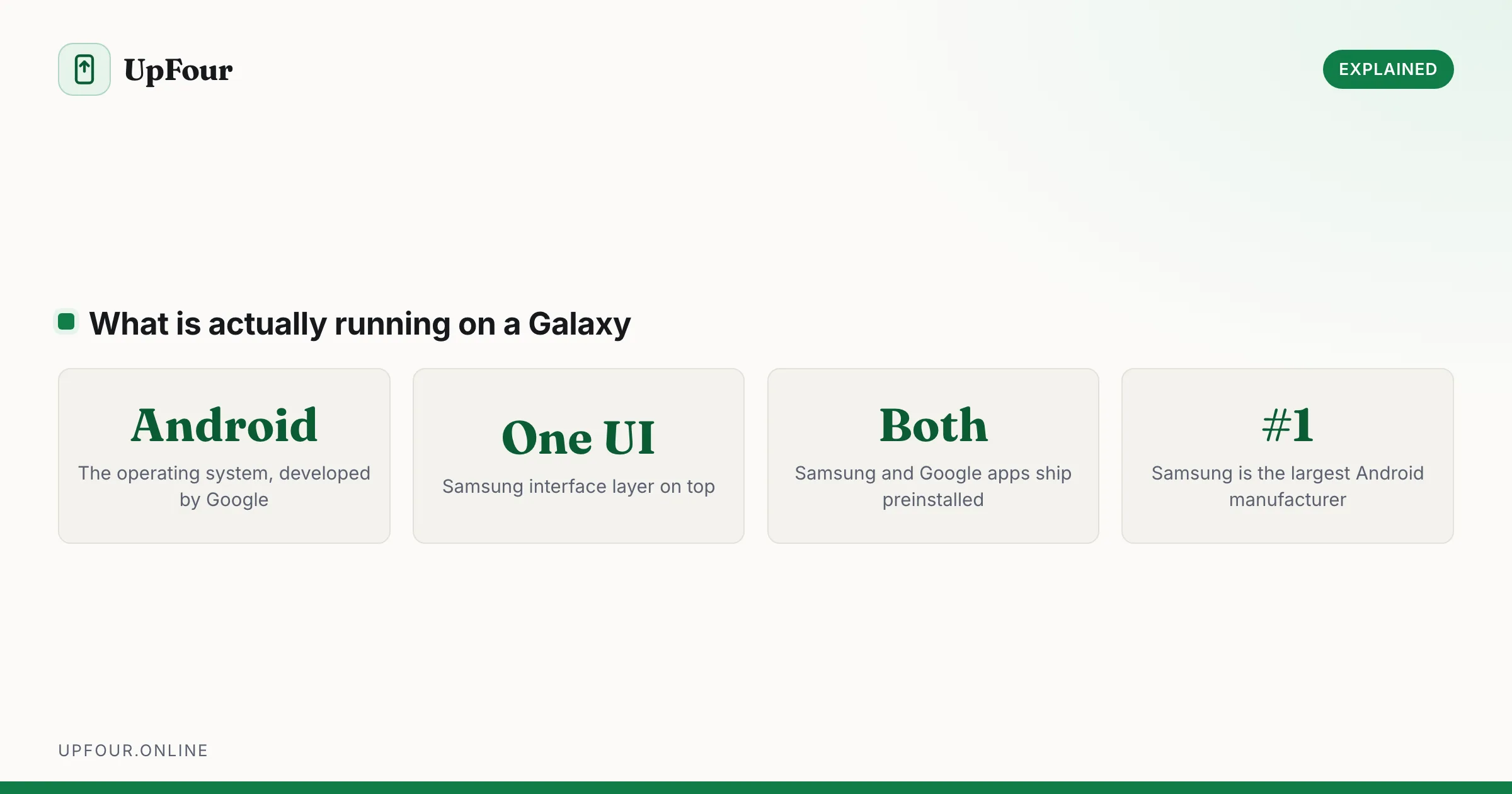
Samsung Galaxy phones run Android with Samsung's One UI on top. Here is what that means, what Samsung changes, and why it matters when following guides.
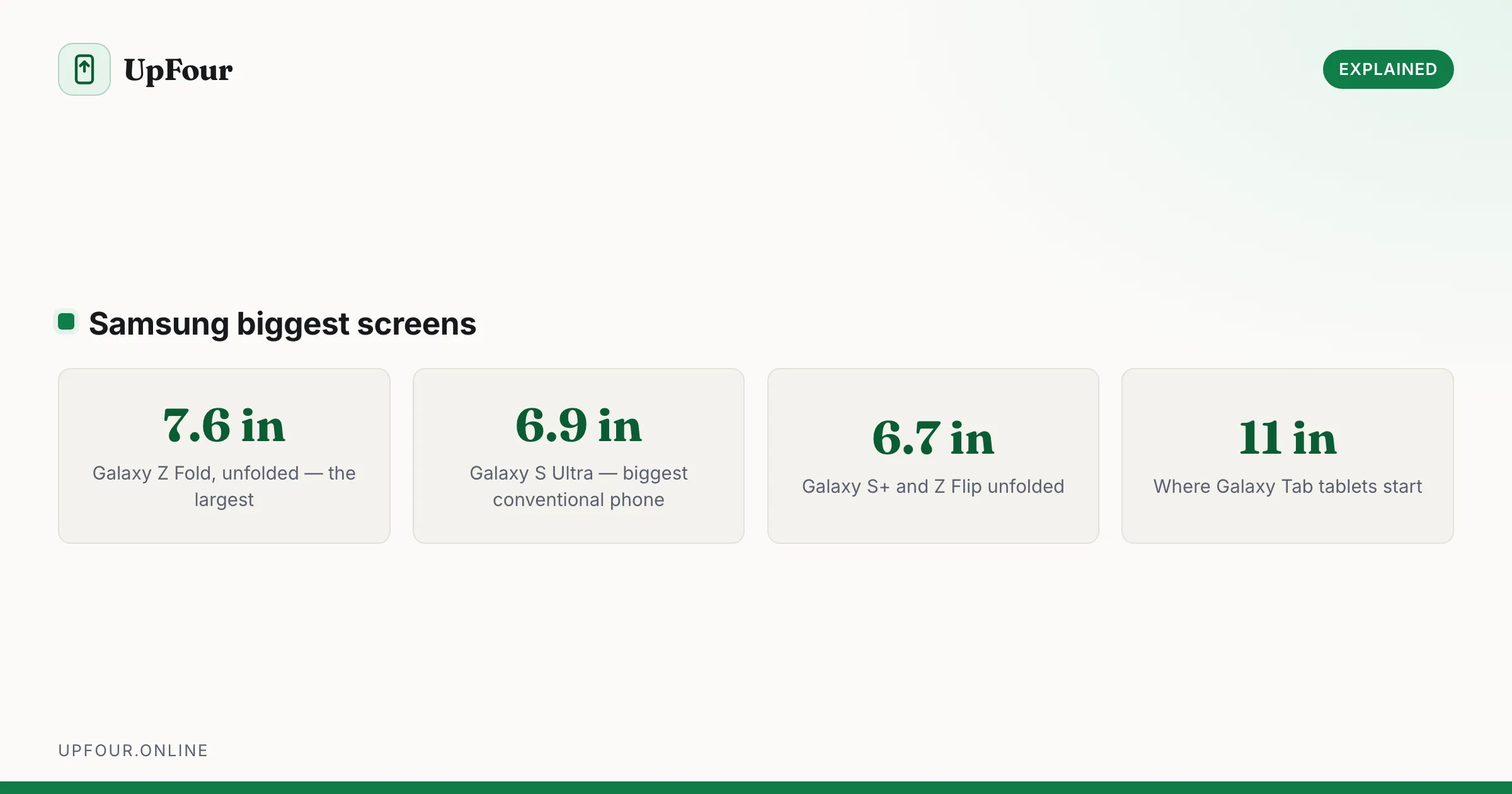
Compare Samsung's largest screens — the Z Fold's inner display against the S Ultra — and work out which size actually suits how you use a phone.
Change your country, language and store region on a Galaxy phone — what can be changed easily, what is locked to the firmware, and what breaks.
Locate lost Galaxy Buds with SmartThings Find, make them ring, see their last known location, and find a single earbud lost around the house.
Locate, ring, lock or wipe a lost Galaxy phone using Samsung Find My Mobile or Google Find Hub — including how to find one that is switched off.
A complete timeline of Samsung Galaxy S release dates from the original through recent models, plus when Samsung typically launches new phones.
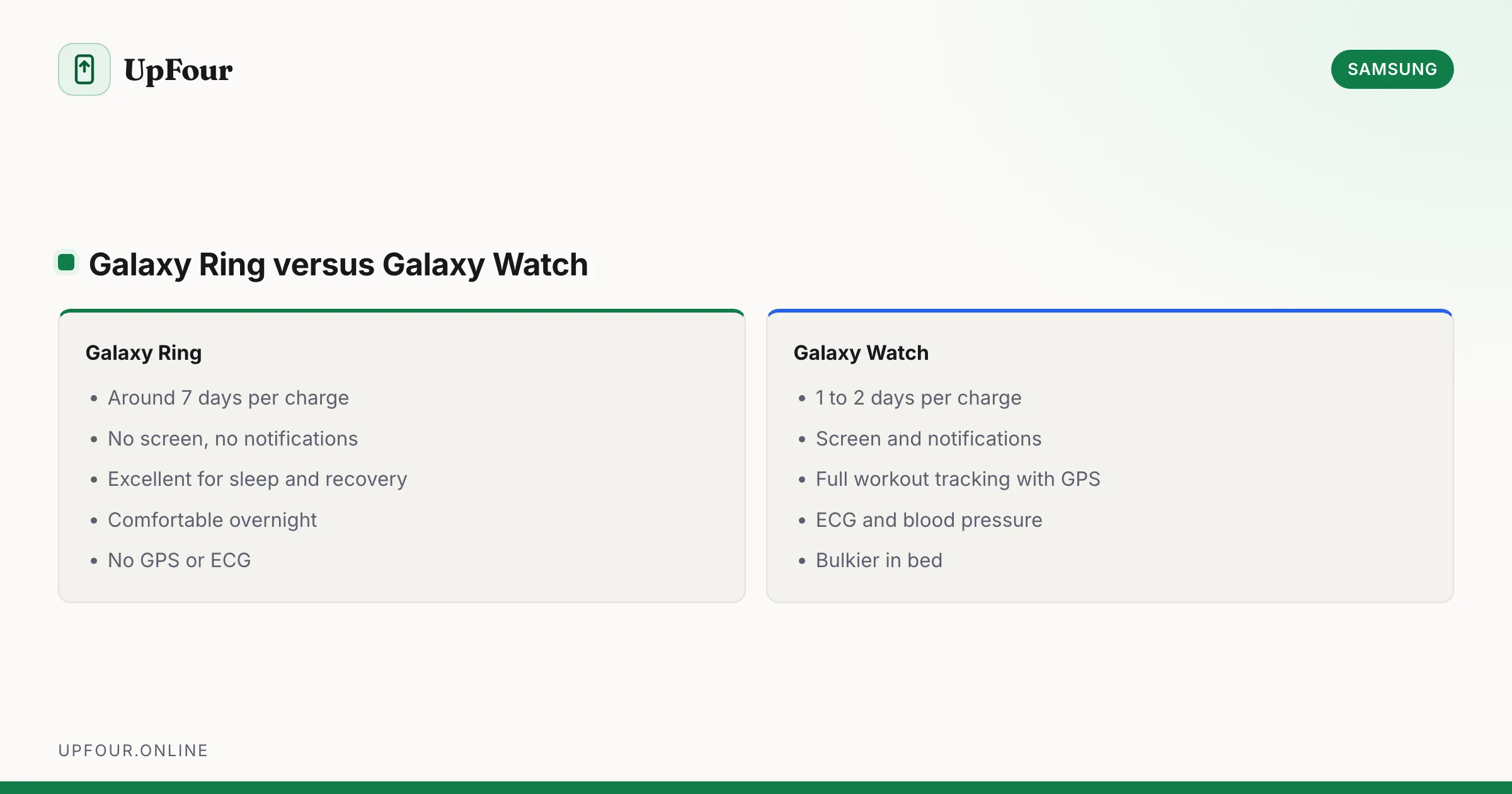
What the Samsung Galaxy Ring tracks, how it compares to a Galaxy Watch, battery life, sizing, and whether it needs a subscription.
Samsung Galaxy phones run Android with Samsung's One UI on top. Here is what that means, what Samsung changes, and why it matters when following guides.