How to Cancel Samsung Care+ (and How to Add It After Purchase)
Cancel a Samsung Care+ plan, understand refunds and cancellation windows, and learn how to add coverage to a phone you already own.
Short answer
Cancel Samsung Care+ in the Samsung Members app under Benefits, or by signing in at your Samsung account and managing the subscription. You can also call Samsung Support. Refunds depend on how long the plan has run.
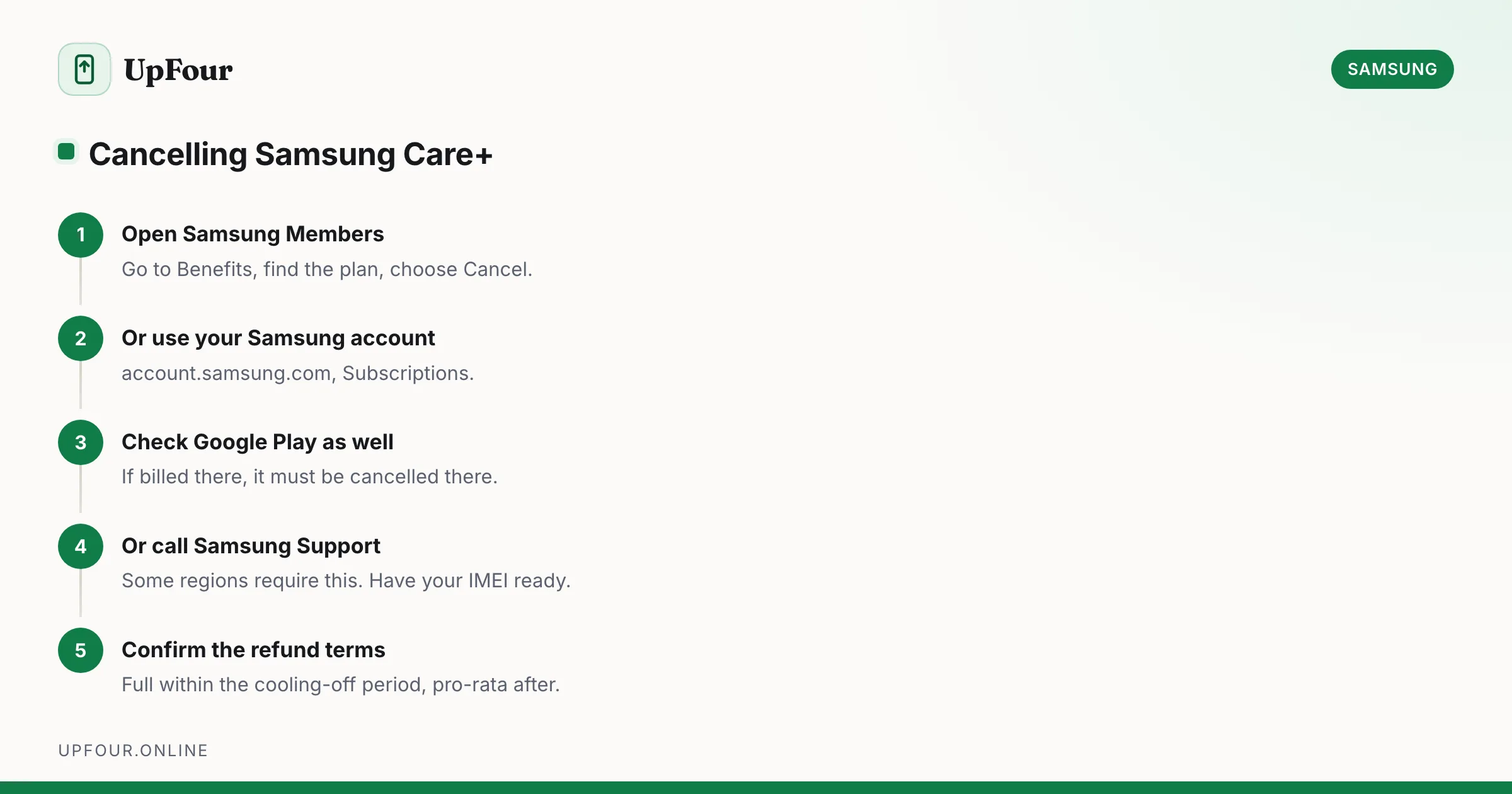
Samsung Care+ can be cancelled at any time. What you get back depends on how far into the plan you are and how you paid.
Cancel in the Samsung Members app
- Open Samsung Members.
- Go to Benefits or Support.
- Find Samsung Care+.
- Select the plan and choose Cancel or Manage subscription.
- Confirm.
Cancel through your Samsung account
- Sign in at account.samsung.com.
- Open Subscriptions or Services.
- Locate the Samsung Care+ plan and cancel it.
If the plan was billed through Google Play, cancel it there instead: Play Store › profile › Payments and subscriptions › Subscriptions. This catches people out — cancelling in Samsung Members does not stop a Play-billed subscription.
Cancel by phone
Call Samsung Support for your country. Have ready:
- the device IMEI (dial
*#06#) - the Samsung account email
- the order number if it was bought with the phone
Some regions require cancellation by phone rather than in-app, particularly where the plan is underwritten by a local insurer.
Refunds
The general pattern, though exact terms vary by region and underwriter:
- Within the initial cooling-off period (often around 30 days) with no claims made: usually a full refund.
- After that period: typically a pro-rata refund of the unused portion for annual plans.
- Monthly plans: normally cancel at the end of the current billing period, with no refund of that month.
- After a claim: refunds are commonly reduced or unavailable.
Read the plan terms for your country. Care+ is an insurance product and is regulated locally, so terms genuinely differ between markets rather than being a single global policy.
What happens after cancelling
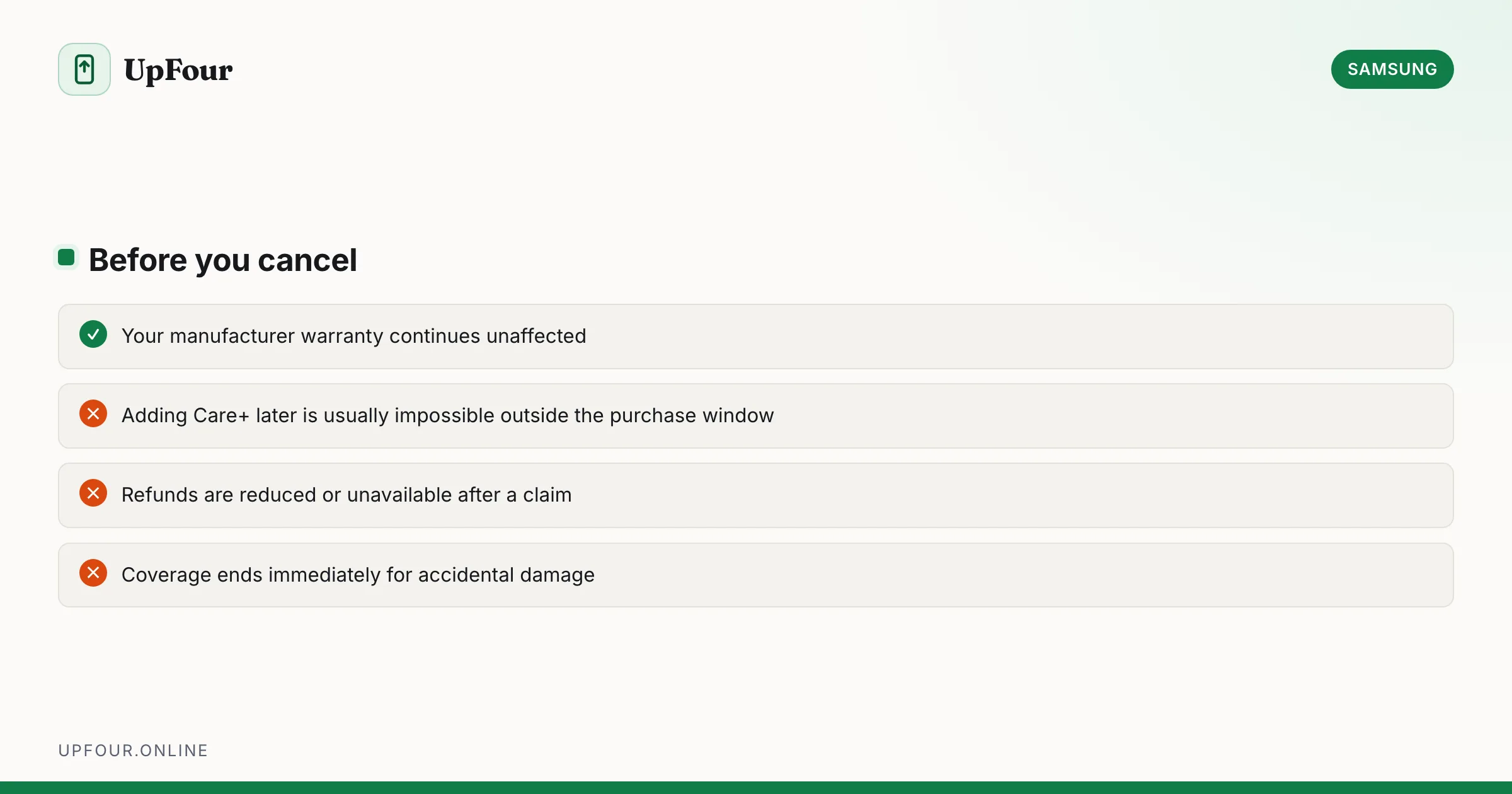
- Coverage ends — accidental damage is no longer covered.
- The manufacturer warranty is unaffected and continues to its original expiry. Cancelling Care+ does not void it.
- You generally cannot re-add Care+ later unless you are still inside the original post-purchase window.
That last point matters: cancelling is close to irreversible. If you are cancelling to save money but expect to keep the phone for years, consider that you will not be able to buy back in later.
Add Samsung Care+ after purchase
Yes, within a limited window — commonly around 60 days from purchase, though this varies by region.
- Open Samsung Members.
- Go to Benefits › Samsung Care+.
- Check eligibility for your device.
- Purchase the plan.
Alternatively buy it from Samsung's website by entering your device details.
Requirements:
- Device in undamaged, working condition. Existing damage disqualifies it.
- A diagnostic check may be required through Samsung Members, which inspects the screen, battery and sensors remotely.
- The device must be registered to your Samsung account.
- You must be within the eligibility window.
If Care+ does not appear in Samsung Members
Common causes:
- Outside the eligibility window — the most frequent reason.
- Device not registered. Register it under Samsung Members › profile › My devices.
- Not available in your region. Care+ is not offered everywhere.
- Signed in to a different Samsung account than the one the phone is registered to.
- Carrier-purchased device — some carrier variants are excluded, and the carrier's own protection applies instead.
Check what you already have
Before cancelling or buying, check what is already in place:
- Samsung Members › Benefits shows active plans and remaining warranty.
- Your carrier plan may already include device protection you are paying for separately.
- Credit card purchase protection — many premium cards cover damage for a period after purchase.
- Home contents insurance — portable electronics are frequently included.
Duplicate coverage pays nothing extra. It is worth ten minutes to check before renewing.
Cancelling because you sold the phone
Care+ is tied to a specific device, not to you. If you sell the phone:
- Cancel the plan — it does not benefit you any more.
- In some regions coverage can be transferred to the new owner. Ask Samsung Support; it can be a modest selling point.
- Remember to remove your Samsung account and Reactivation Lock before handing it over, or the buyer cannot activate it. See deleting or removing a Samsung account.
In short
Cancel through Samsung Members › Benefits, your Samsung account subscriptions, or Samsung Support by phone — and through Google Play if that is how it was billed. Refunds are usually full within the cooling-off period and pro-rata afterwards. You can add Care+ within roughly 60 days of purchase if the device is undamaged, but rarely after that.
Frequently asked questions
How do I cancel Samsung Care+?
Open Samsung Members, go to Benefits, select the Samsung Care+ plan and cancel it. You can also cancel from account.samsung.com under Subscriptions, or by calling Samsung Support. If billed through Google Play, cancel it in the Play Store instead.
Do I get a refund if I cancel Samsung Care+?
Usually a full refund within the initial cooling-off period if no claim has been made, and a pro-rata refund of the unused portion afterwards on annual plans. Monthly plans typically end at the close of the billing period.
Can I add Samsung Care+ to a phone I already own?
Yes, generally within about 60 days of purchase depending on region. Open Samsung Members › Benefits and check eligibility. The device must be undamaged and may need a remote diagnostic check.
Does cancelling Samsung Care+ affect my warranty?
No. The standard manufacturer warranty continues to its original expiry date. Cancelling only ends the additional accidental damage coverage.
Sources & further reading
Official documentation used while writing and checking this guide. Every link was verified at the last update.
- Samsung Members appSamsung
- Official Samsung SupportSamsung
- FTC Business GuidanceUS Federal Trade Commission
Machine-readable version: Markdown source
Related guides
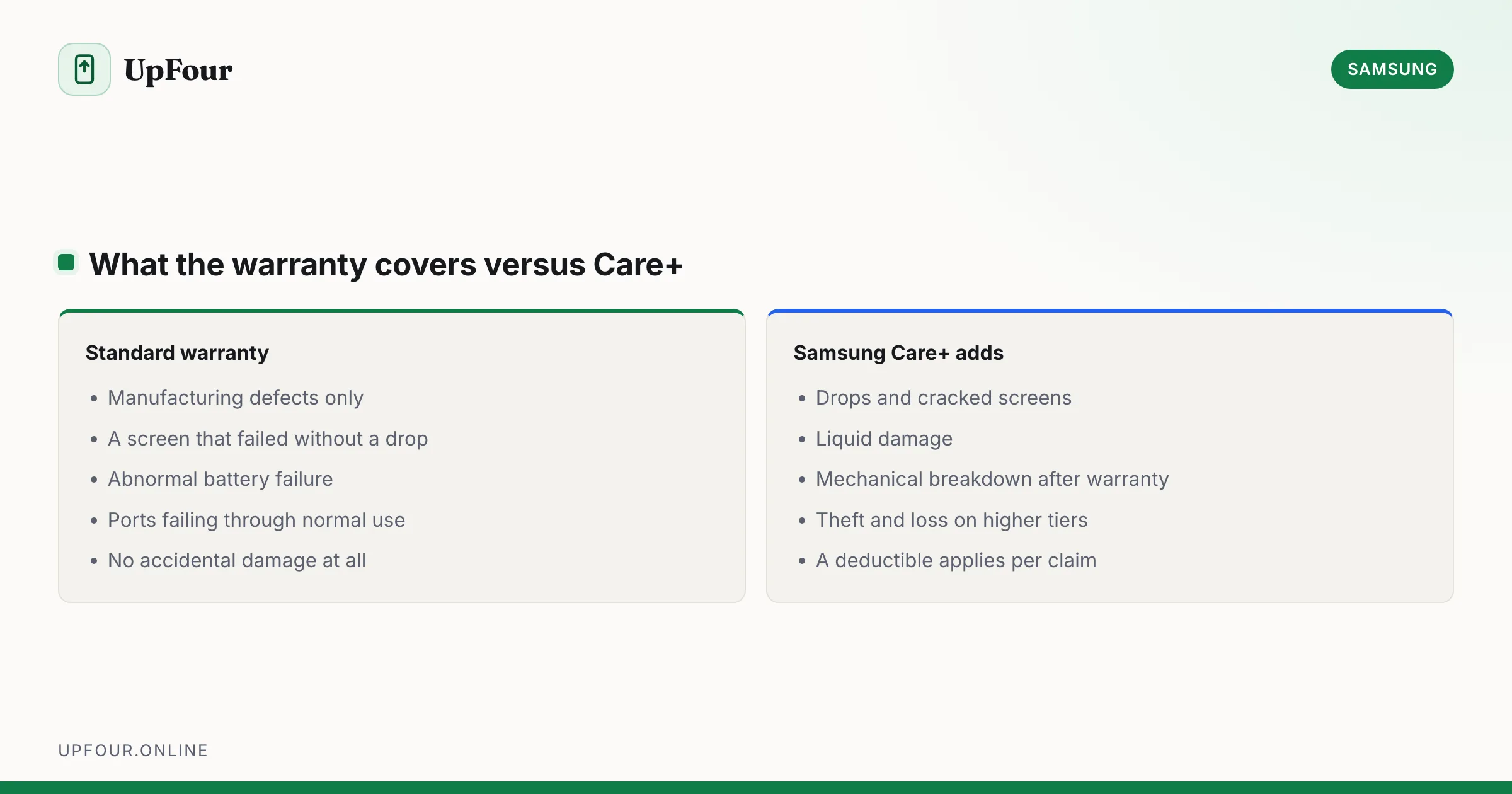
Is Samsung Care+ Worth It? An Honest Cost Breakdown
What Samsung Care+ covers, what it costs against an out-of-warranty repair, and the specific cases where it does and does not pay for itself.
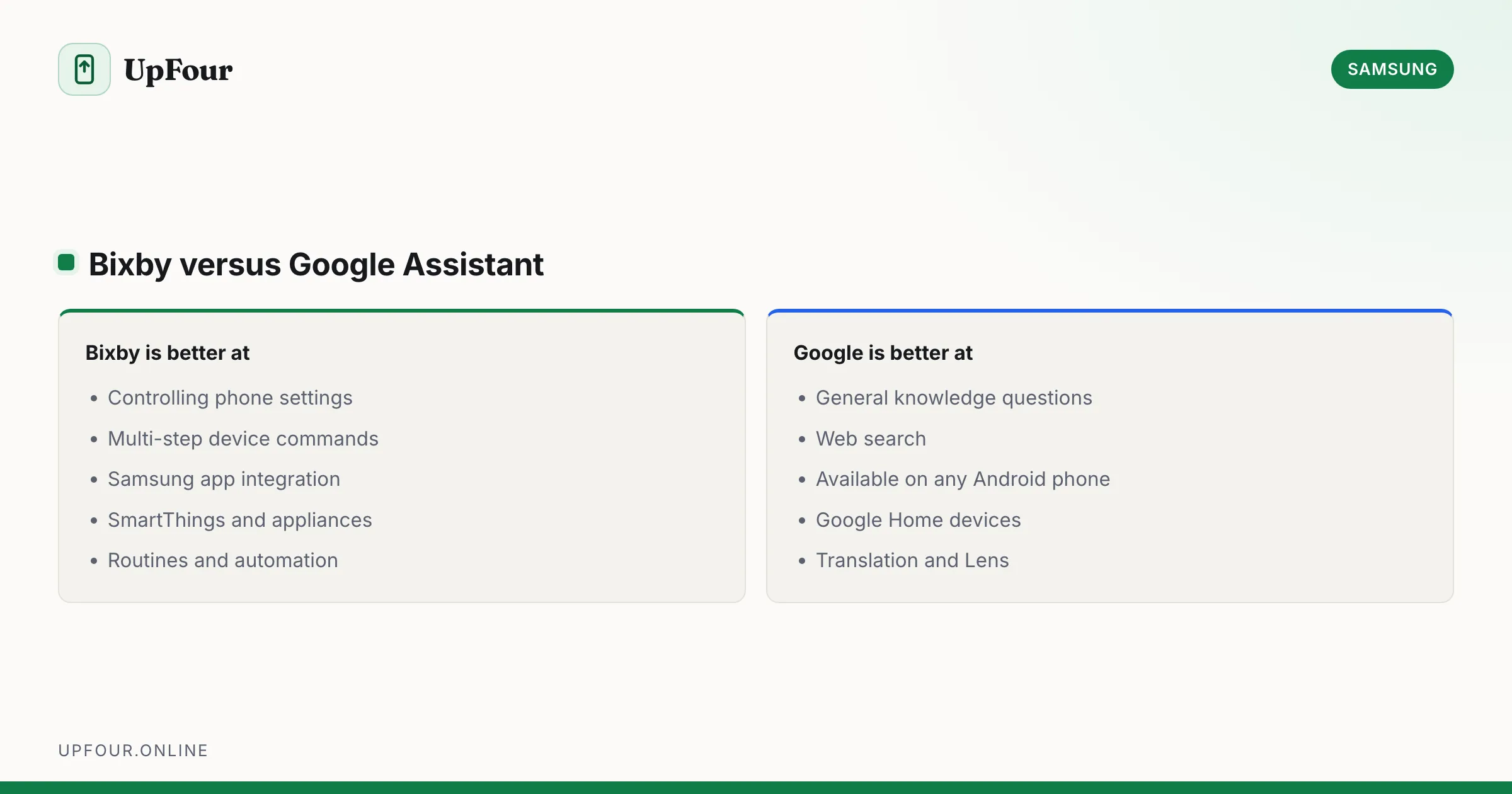
What Is Bixby? Samsung's Assistant Explained (and How to Disable It)
What Bixby does, how it differs from Google Assistant and Gemini, how to remap the power button, and how to turn Bixby off entirely.
How to Find Lost Galaxy Buds (Including One Missing Earbud)
Locate lost Galaxy Buds with SmartThings Find, make them ring, see their last known location, and find a single earbud lost around the house.